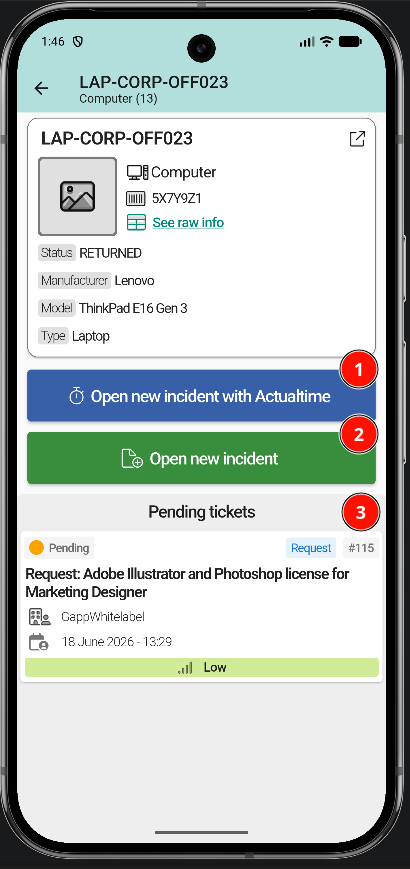
Assign an item to a ticket
Items are assigned to a ticket from the GLPI web interface. Once linked, they appear in the Items tab of the ticket inside the app.
Link an item from GLPI
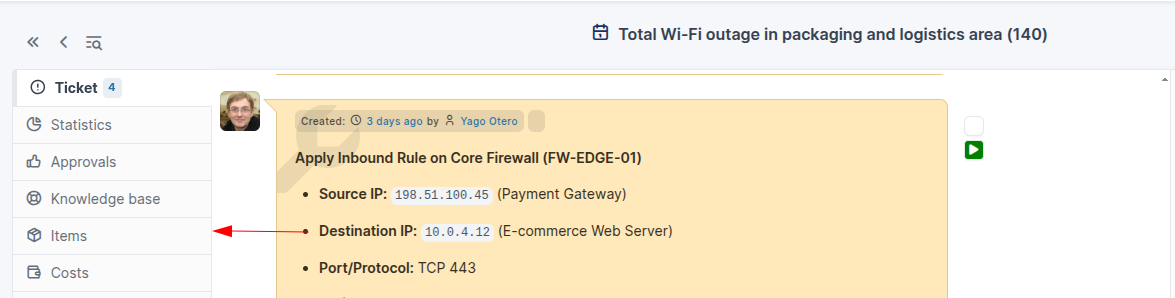
Open the ticket in the GLPI web interface and switch to the Items tab.
Select the item type and the device, then click Add.
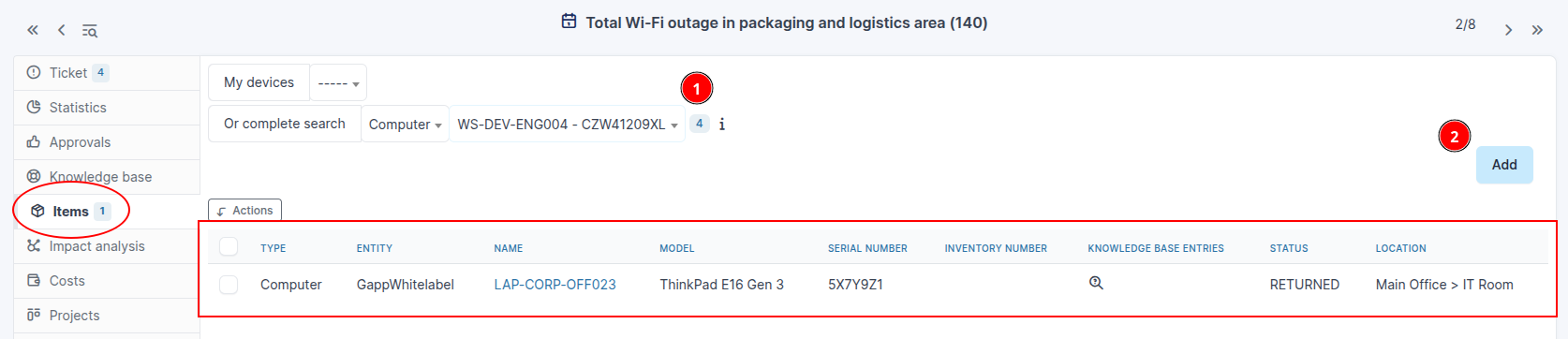
View items in the app
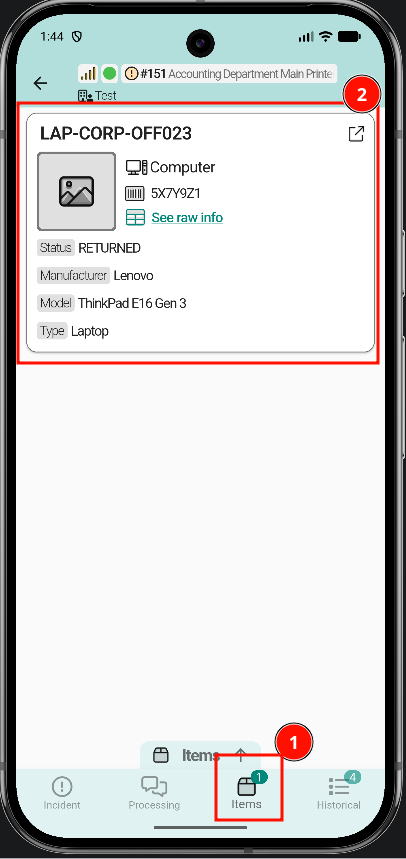
Once the item is linked, it shows up in the Items tab at the bottom of the ticket detail screen.
Tapping an item opens its full detail: raw information, linked tickets, and available quick actions.