
5.2 Closing tickets and surveys
5.2.1 Closing tickets
Three options deal with the end of a ticket: the solved date, tickets that close by themselves and requests that have been rejected.
5.2.1.1 The solved date and the last task
A ticket can be solved before its last task ends, or its last task can end after the solved date, which skews the time and SLA figures. Here the ticket was solved on 3 November but its last task finished on 4 November at 17:00.
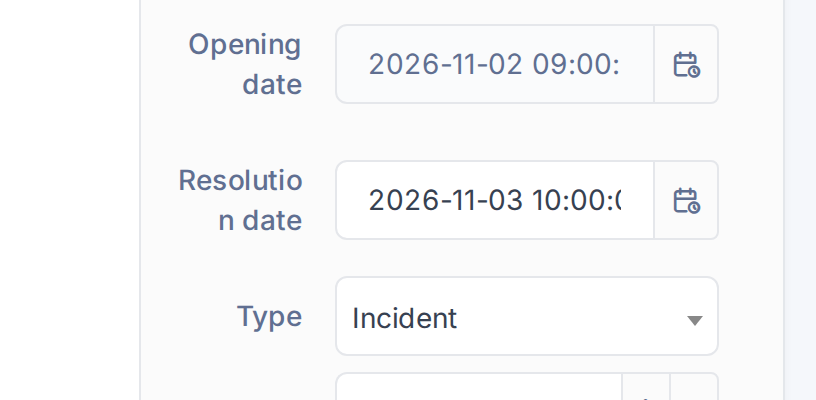
Solved on 3 November, last task ended on 4 November
5.2.1.2 Run the automatic action
With Change ticket solved date to last task end time on, the plugin adds the changeDate automatic action to Setup > Automatic actions. It runs every hour from the command line (Run mode: CLI) and, for each solved ticket whose last task ends after the solved date, sets the solved date to that end. If the first task starts before the ticket was opened, the opening date is moved back to one hour before it. Number of tickets limits how many tickets one run handles (empty = all). Click Execute to run it now.
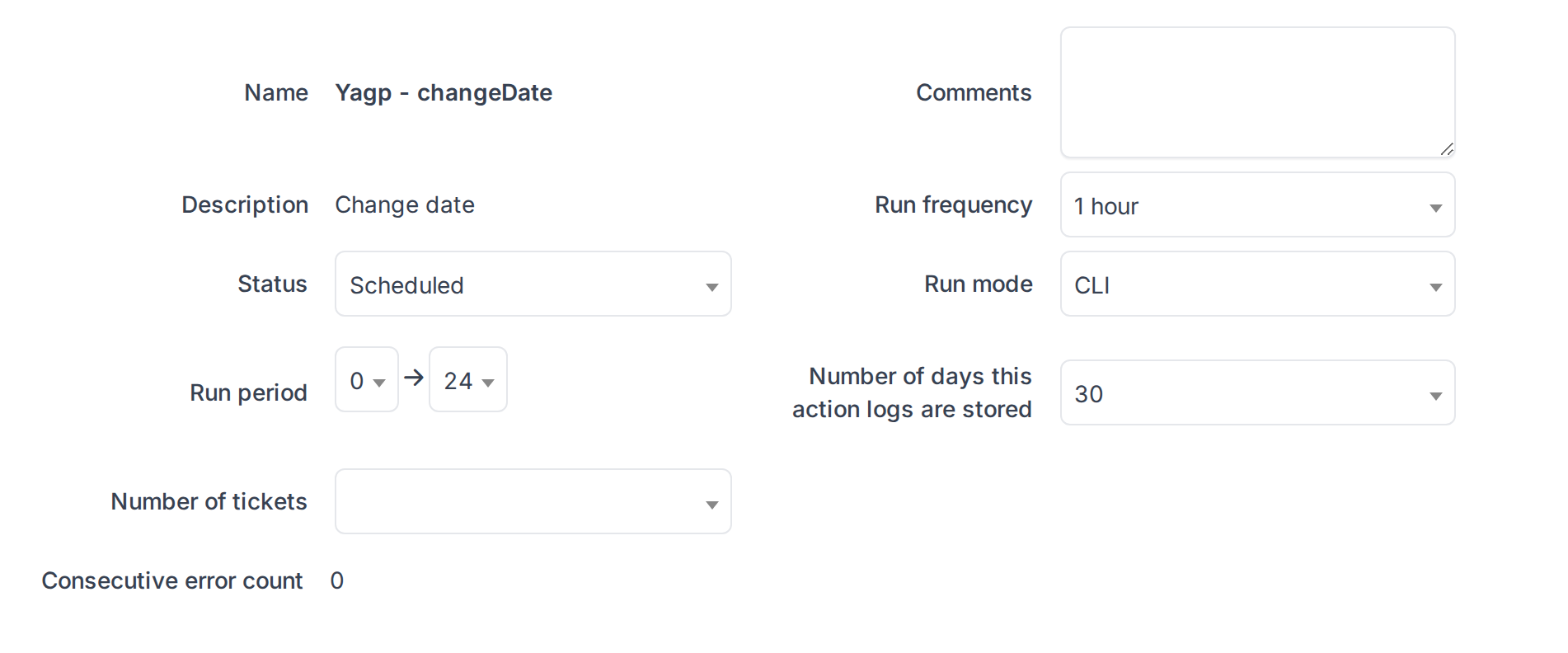
The changeDate automatic action
5.2.1.3 The solved date follows the last task
After the action runs, the ticket shows the end of its last task as its solved date.
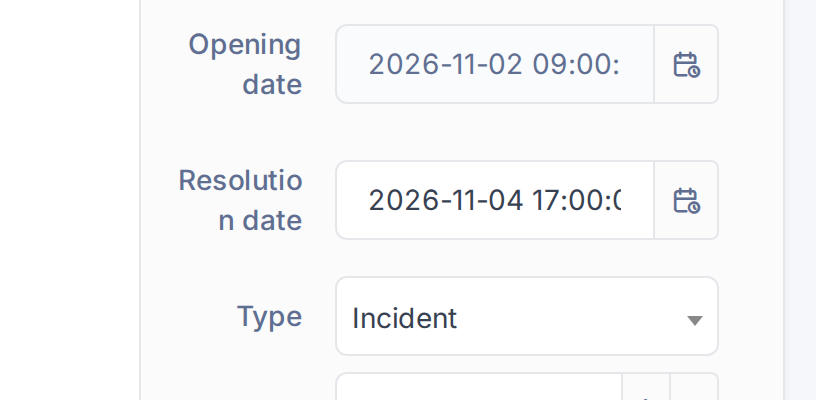
The solved date now is 4 November, 17:00
5.2.1.4 Close a ticket as soon as it is solved
Some solutions need no approval: a duplicate, a cancelled request. With Solution types for close tickets automatically set (here No further action needed), a solution of one of those types is approved the moment it is added and the ticket goes straight to Closed, skipping the wait for the requester.
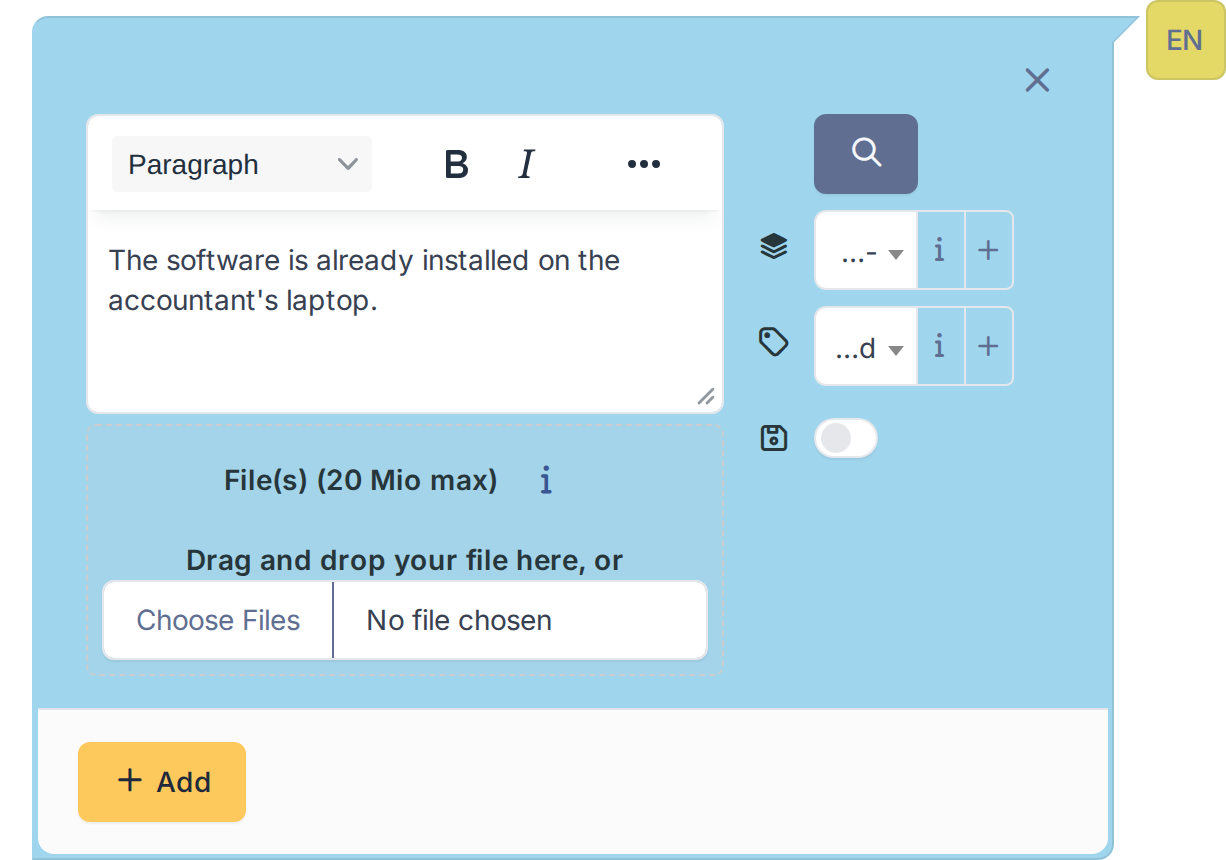
A solution of an automatic type
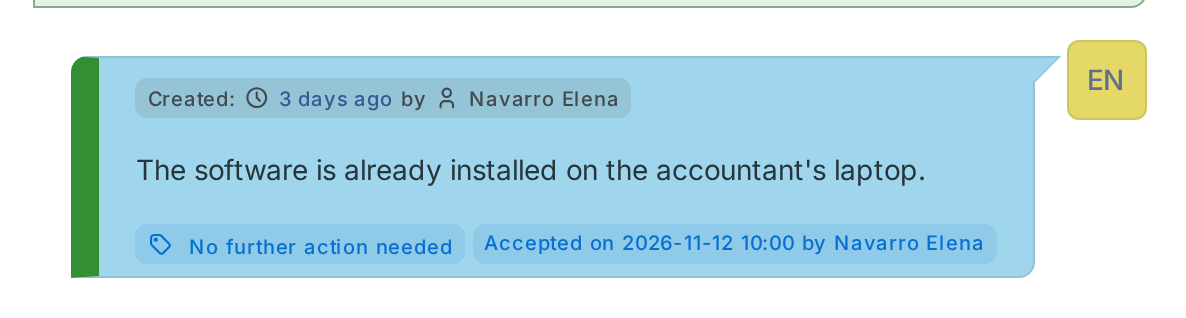
The solution is added and the ticket is closed at once
5.2.1.5 Keep rejected requests closed
Sometimes a request has to be turned down, and the requester's polite reply should not bring it back. The plugin creates the solution type Auto-close rejected tickets and the request type Reopen ticket. With Auto-closing of rejected tickets on, when the requester answers a solution of that type, the ticket is closed instead of reopened. To really reopen it, the requester answers with the request type Reopen ticket. Only the requester of the ticket can trigger the closing.
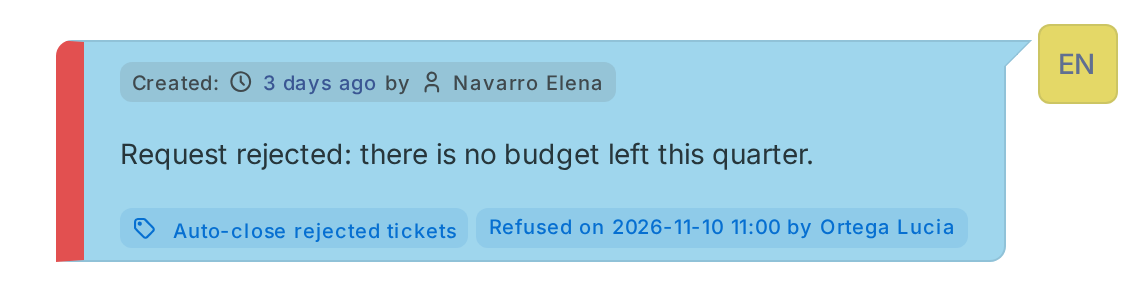
The rejected request: its solution was answered by the requester and the ticket is closed
5.2.2 Expired satisfaction surveys
A survey nobody answers stays open for ever and keeps a ticket in the "pending survey" lists. The plugin closes the surveys whose time is over.
5.2.2.1 The automatic action
The plugin always adds the Expired satisfaction removal automatic action to Setup > Automatic actions, it needs no option. It runs once a day and, for every survey that has not been answered, compares its start with the Satisfaction survey duration of the entity (Setup > Entities > Assistance). When that time has passed the survey is marked as answered, with no rating, and the action logs one line per ticket. A duration of 0 means the survey never expires, so those surveys are left alone.
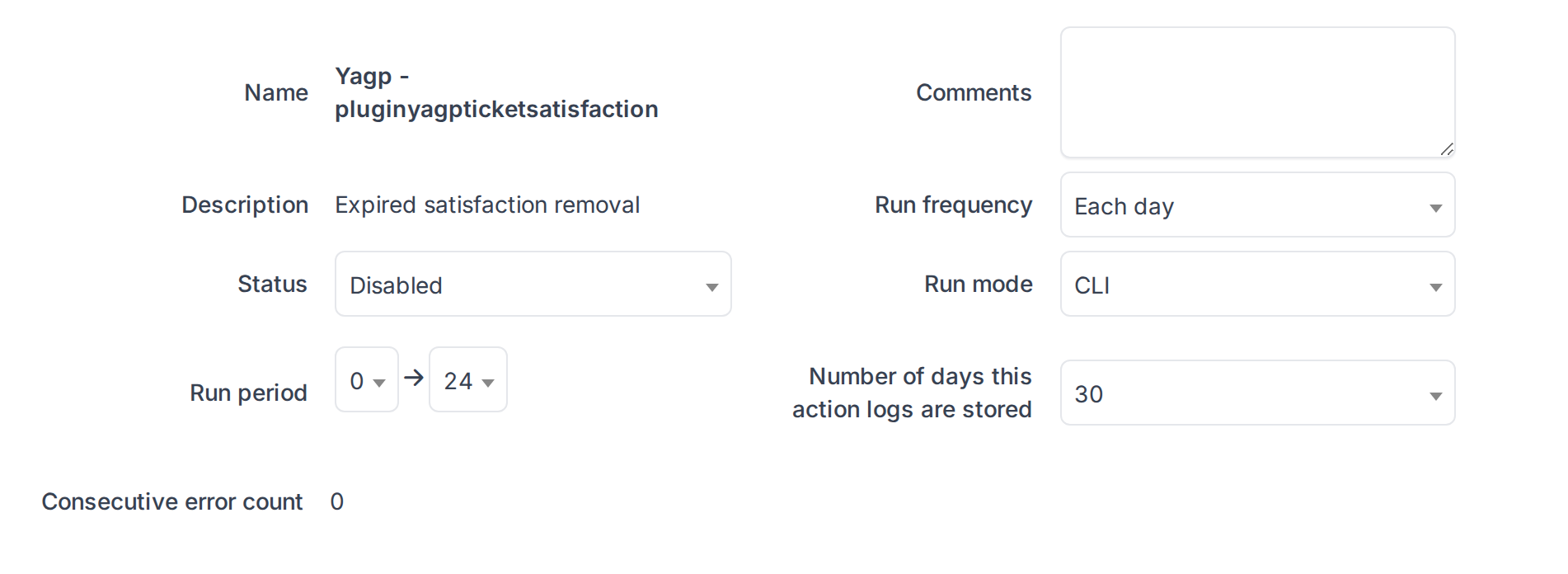
The Expired satisfaction removal automatic action
Generated for YAGP 4.0.1 on GLPI 12.0.2 — 2026-11-19.