
5.1 Ticket shortcuts
5.1.1 Shortcuts in the ticket
Four small options that save clicks to technicians: opening a ticket by its number, protecting the opening date, remembering the first category and spotting private notes at a glance.
5.1.1.1 Open a ticket by its number
With Display an input to quickly access a ticket on, a box appears in the top bar, before the search field. Type the number of a ticket and press Enter: GLPI takes you to it, and switches your current entity if the ticket lives in another one. The box is not shown in the simplified interface, nor on narrow screens.

The ticket number box in the top bar
5.1.1.2 Protect the opening date
With Block opening date on, the Opening date field of a ticket is greyed out: nobody can edit it by hand, so the date a request arrived is the date that is kept. The server enforces it too, a change sent any other way is ignored.
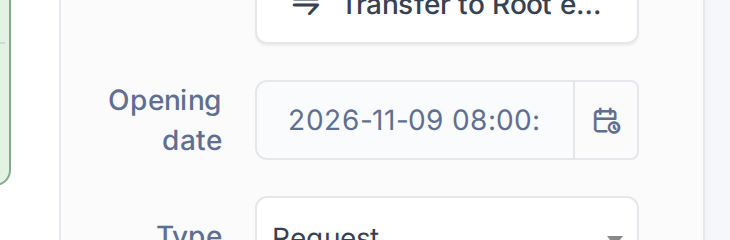
The Opening date field cannot be edited
5.1.1.3 Remember the first category
With Enable re-categorization tracking on, the first time a technician changes the Category of a ticket the plugin remembers the original one. From then on the ticket shows an Initial category line under the category, so you can tell how a request was first classified.
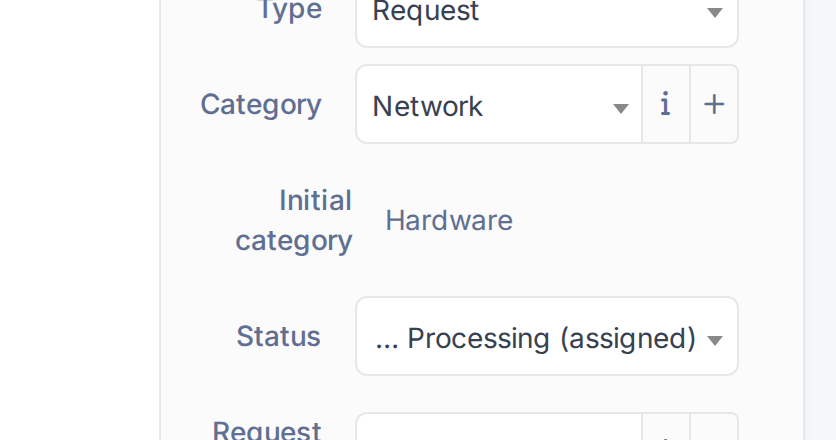
The initial category of a re-categorized ticket
5.1.1.4 Spot private notes
With Enhance Private task/followup view on, a private task or followup is easy to tell from a public one: its lock icon is bigger and red, and the whole block has a dashed black border. Requesters never see private entries; this is an aid for technicians, so nobody answers publicly by mistake.
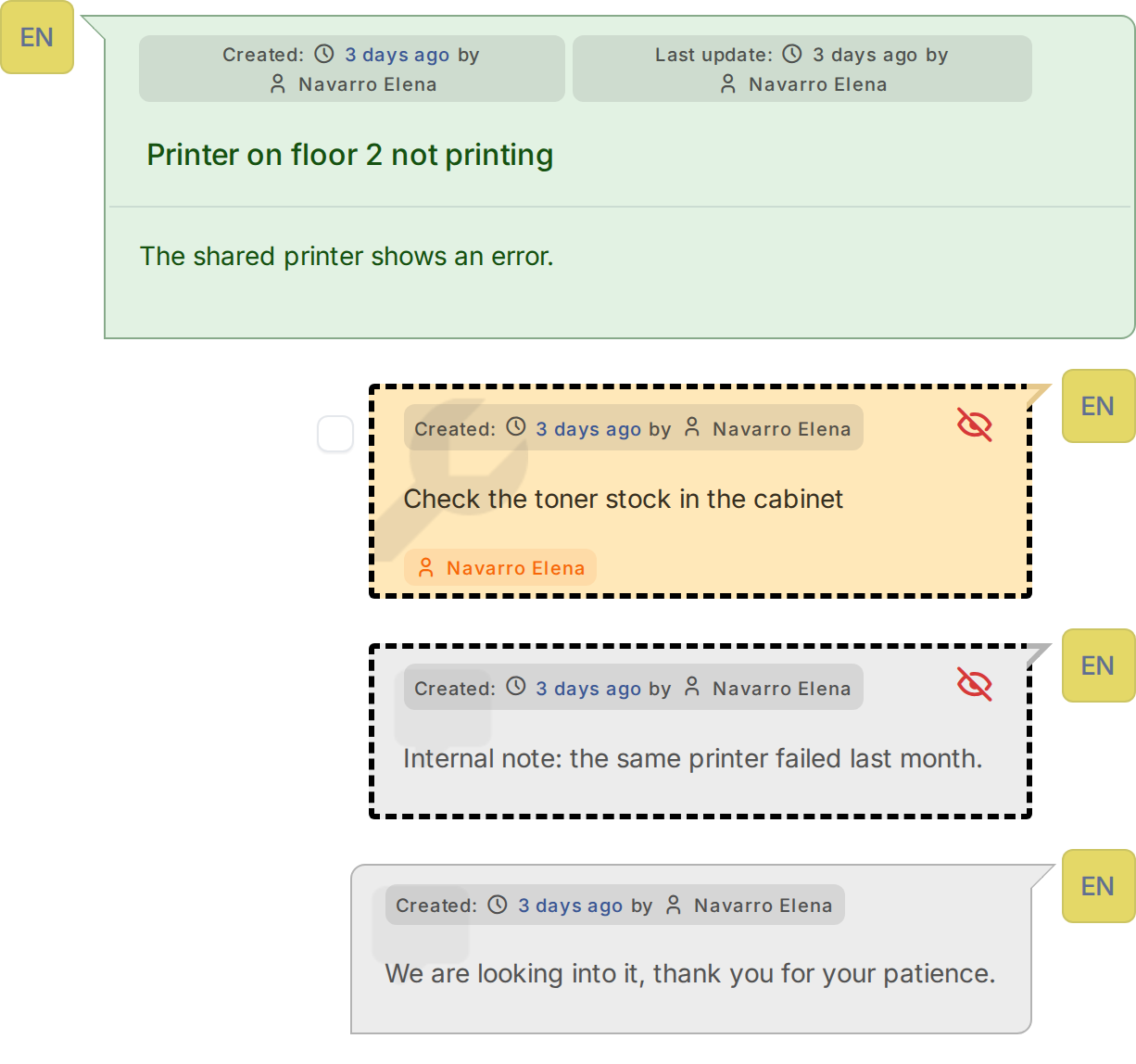
Private entries with a dashed border
Generated for YAGP 4.0.1 on GLPI 12.0.2 — 2026-11-19.