
4. Setup
4.1 Installation
Drop the plugin in plugins/yagp, or install it from the Marketplace, then install and activate it from Setup > Plugins. Version 4 needs GLPI 12.0.
4.2 Configuration
Everything is on Setup > General > YAGP, in two groups, Ticket enhancements and Related to tickets. All options are off after install. The solution types that close tickets, the tag for the requester and the destination of the automatic transfer appear once their option has been saved.
4.2.1 Automatic actions
- Expired satisfaction removal (
pluginyagpticketsatisfaction): runs once a day. Marks as answered, with no rating, the surveys that nobody answered within the Satisfaction survey duration of their entity. A duration of 0 never expires. - Change date (
changeDate): added when Change ticket solved date to last task end time is switched on, run every hour from the command line. Sets the solved date of solved tickets to the end of their last task, and moves the opening date back one hour before the first task when it started earlier. The Number of tickets parameter limits one run.
4.3 Permissions
The plugin has no right of its own. Each feature follows GLPI's rights:
- Changing the settings needs the right to update Setup > General; GLPI asks for the password again before showing and before saving them.
- Quick transfer needs the Transfer right, a GLPI with several entities and permission to update the ticket.
- The survey window opens only for whoever can answer the survey.
- Automatically closing a rejected request only reacts to the requester of the ticket.
- Hide historical tab is cosmetic: the history is protected by GLPI's Historical right.
4.4 Turning the features on
Every YAGP feature is an option that starts switched off. They all live in one place, so you turn on only what your team needs.
4.4.1 Open the YAGP settings
Go to Setup > General and open the YAGP tab. GLPI asks you to confirm your password before it shows the settings. The options are in two groups, Ticket enhancements and Related to tickets. Each one is a Yes/No switch, and nothing changes in GLPI until you turn it on and click Save.
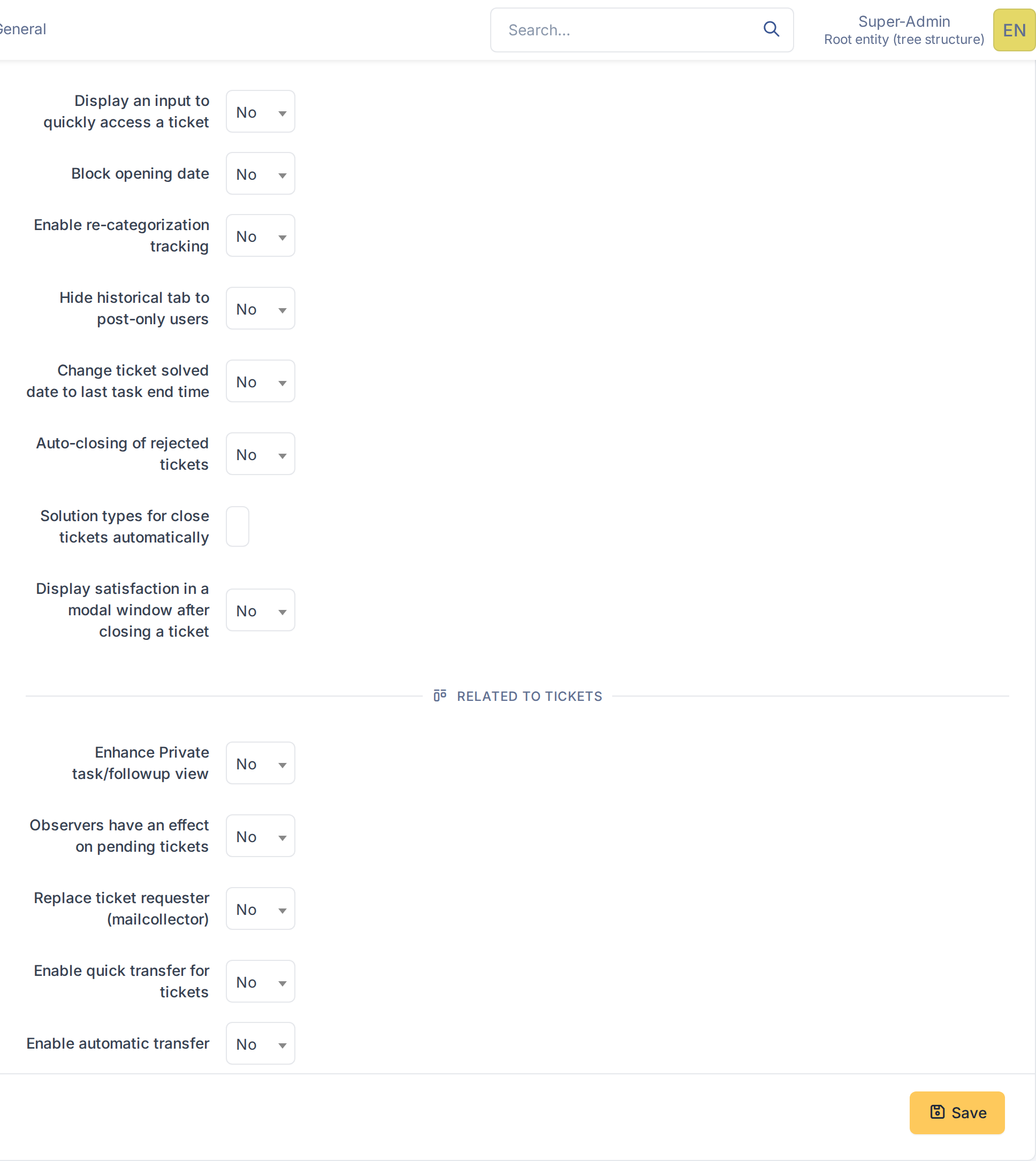
The YAGP settings, all options off
4.4.2 Turn the options on
Choose Yes in the option you want. Three options need more information, which appears after the first Save: the solution types that close a ticket by themselves, the tag the mail collector looks for to find the requester, and the destination of the automatic transfer. They are explained with their feature in the next sections.
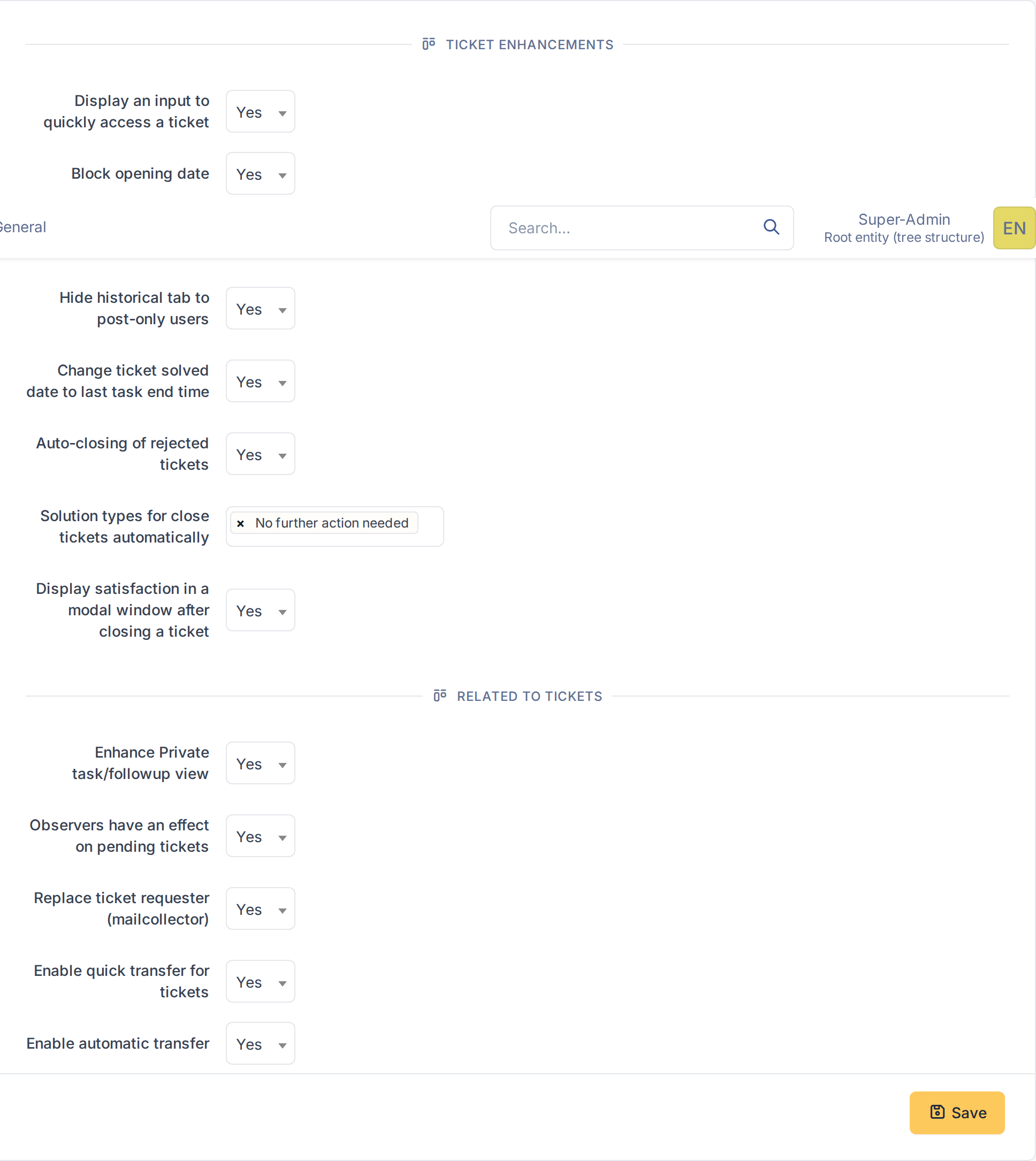
The options turned on
4.4.3 Save
Click Save. GLPI asks for your password again before it stores the settings. The changes apply to every user the next time a page loads.
4.4.4 Fill in the extra fields
Now the fields that depend on an option are shown. Tag to search is the text that surrounds the requester's email address in the body of a collected message; Allow anonymous requester accepts addresses of people who are not GLPI users. Transfer destination is the entity where the automatic transfer sends tickets. Click Save again.
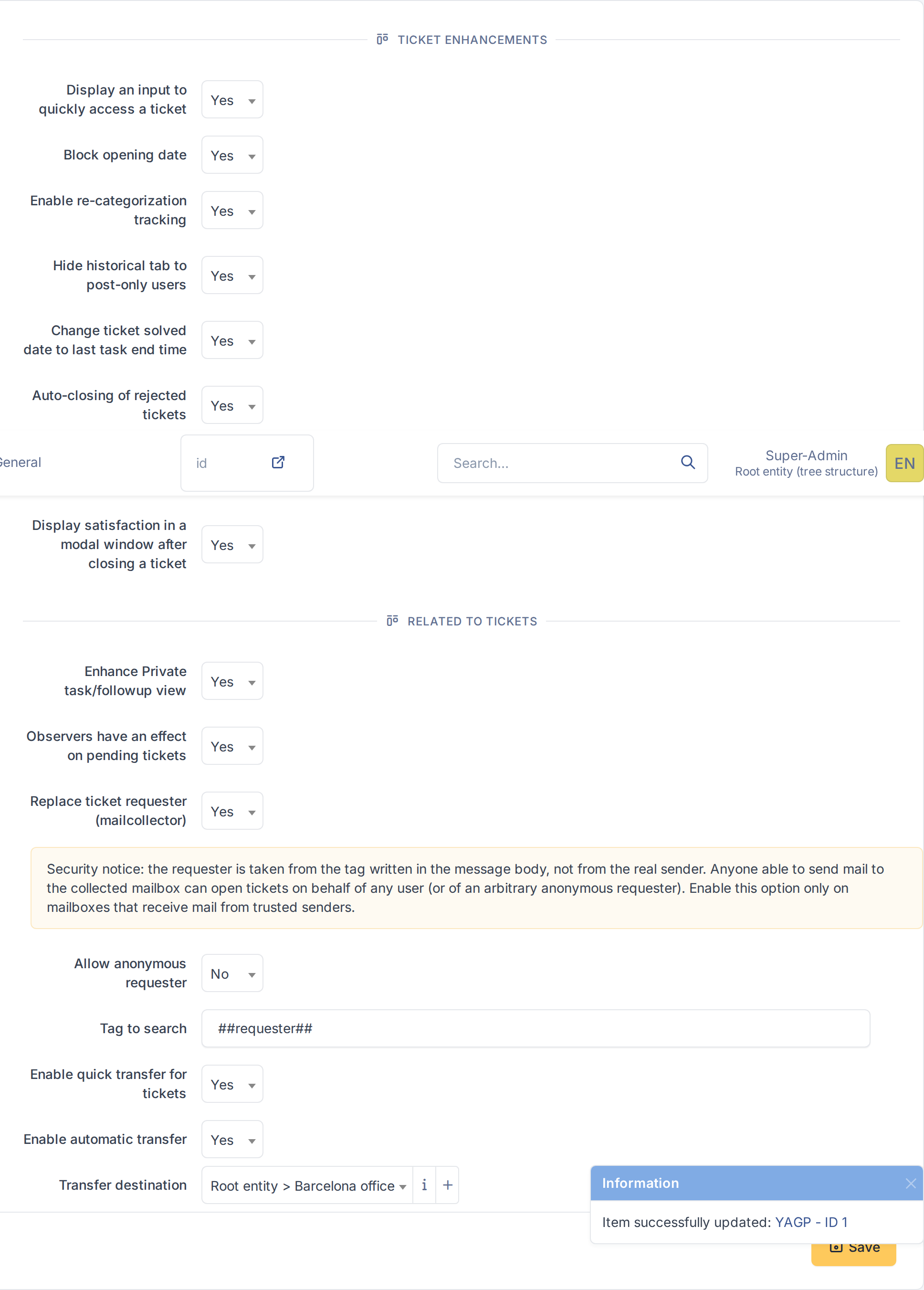
The fields that depend on an option
Generated for YAGP 4.0.1 on GLPI 12.0.2 — 2026-11-19.