
5.2 Supervision
5.2.1 Correcting recorded time
When a technician forgot to stop a timer, the end of a segment can be corrected afterwards. Only profiles with the Modify timers right for that type of item see the option.
5.2.1.1 Open the window
In the task header, once the task has at least one finished timer, a calendar icon appears: Modify timers. Click it.
The Modify timers icon in the task header
5.2.1.2 Review the segments
The window lists every segment of the task with its Start date (fixed) and End date (editable), the time it adds up to and the extra time still available. A table at the top shows, per technician, the total recorded and the limit set in Task limit in hours for ActualTime.
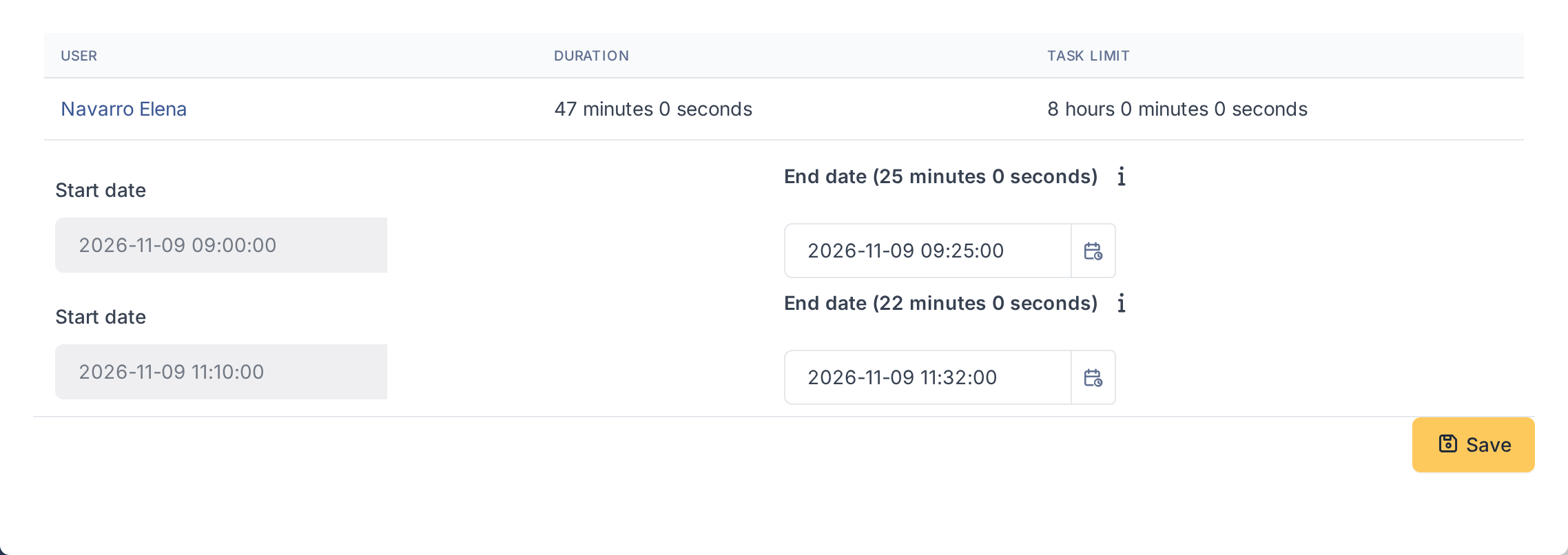
The segments of a task
Note: A new end date must stay between the start of the segment and the limit shown in the tooltip: the segment cannot overlap the next one nor push the task over its limit.
5.2.2 Running timers
Supervisors can see who is timing which task right now, without opening the tasks one by one.
5.2.2.1 Open the list
Go to Administration > ActualTime (it needs the Running timers right). The list shows each technician with a timer running, the entity, location and associated element of the item, a link to the task and the time elapsed. The list refreshes by itself every few seconds; change the interval in Update every (s) or tick Disable to freeze it.

Timers running now
Note: Tasks marked as private only show here to users who may see private tasks.
5.2.3 Timers in the planning
The recorded segments of a technician are drawn in the GLPI planning, next to the planned tasks, so you can see when the work really happened.
5.2.3.1 See the segments in the calendar
Open Assistance > Planning. The ActualTime filter, with its own colour, shows or hides the timer segments. Switch to the day view to read them: each block runs from the start to the end of a segment and names the item it belongs to. Segments are time records: they cannot be dragged; correct them from Modify timers.
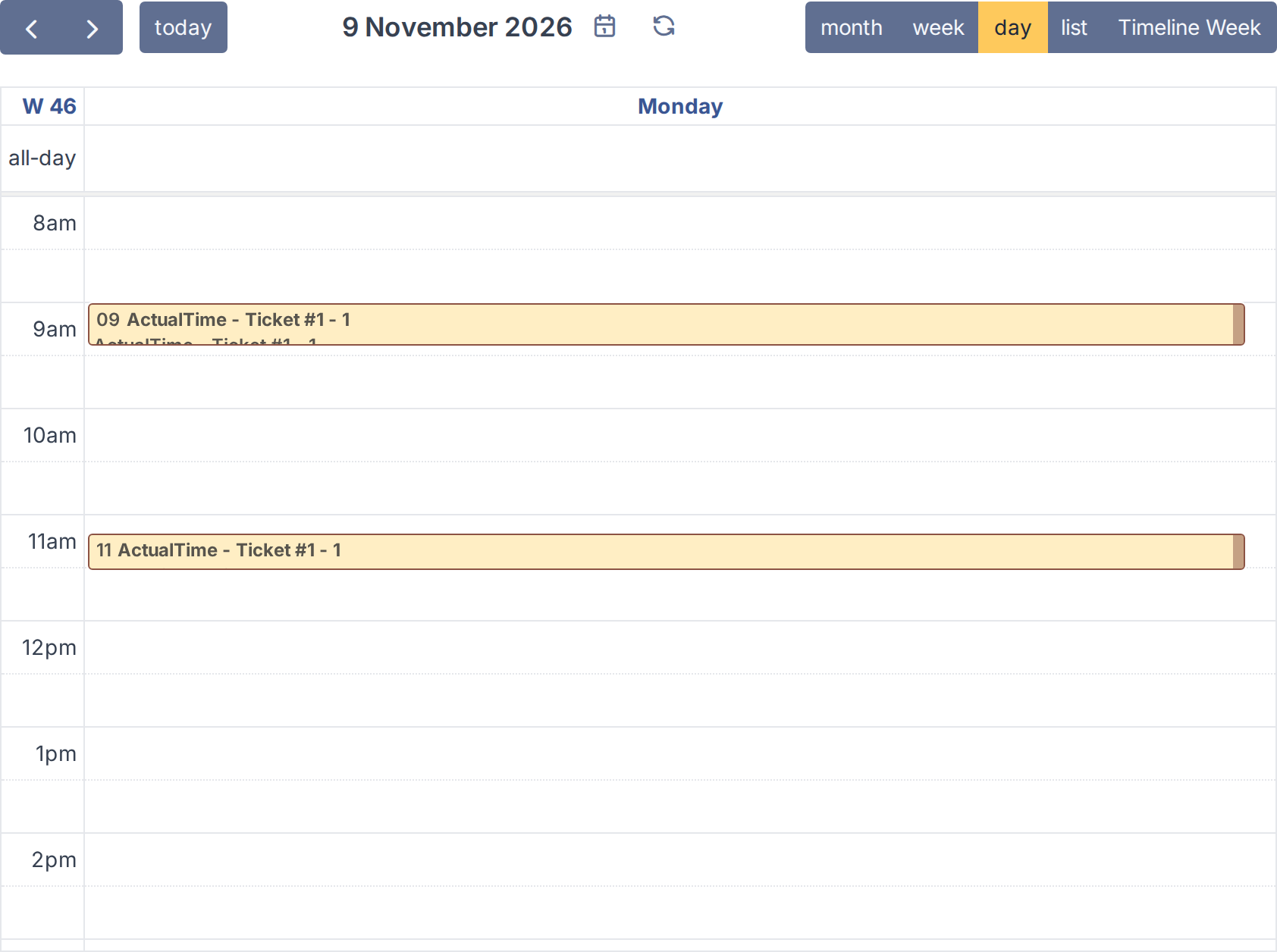
Timer segments in the planning
Generated for ActualTime 5.0.0 on GLPI 12.0.2 — 2026-11-19.