
1. Introduction
1.1 What More Security does
More Security protects the GLPI login page and the "forgotten password" form against automated password-guessing attacks. When someone, or some script, keeps trying wrong passwords against an account, or keeps requesting password resets, it notices and temporarily blocks that account, that email address or the attacker's network address, so the attack stops working. It can also refuse logins by country, keeps a read-only Security log of every attempt and shows the attack trends on a dashboard.
1.2 Key benefits
- Closes a real gap — GLPI itself has no defence against password guessing on its login page. A compromised account can mean exposed tickets, assets and client data; More Security slows attackers to a crawl and locks out repeated failures automatically, with no work for the IT team.
- Invisible to honest users — people who type their password correctly never notice it. A genuine user who mistypes once is not punished: the counters are forgotten after a quiet period and a correct login releases them.
- Stops broad attacks as well as focused ones — an address is blocked on its own whatever account it targets, and an attack spread over many addresses against one account is recognised and the account blocked anyway.
- Behind your own firewall or load balancer — with the reverse proxies declared, the real client address is used, so the attacker is blocked and not your whole office; trusted networks can be exempted altogether.
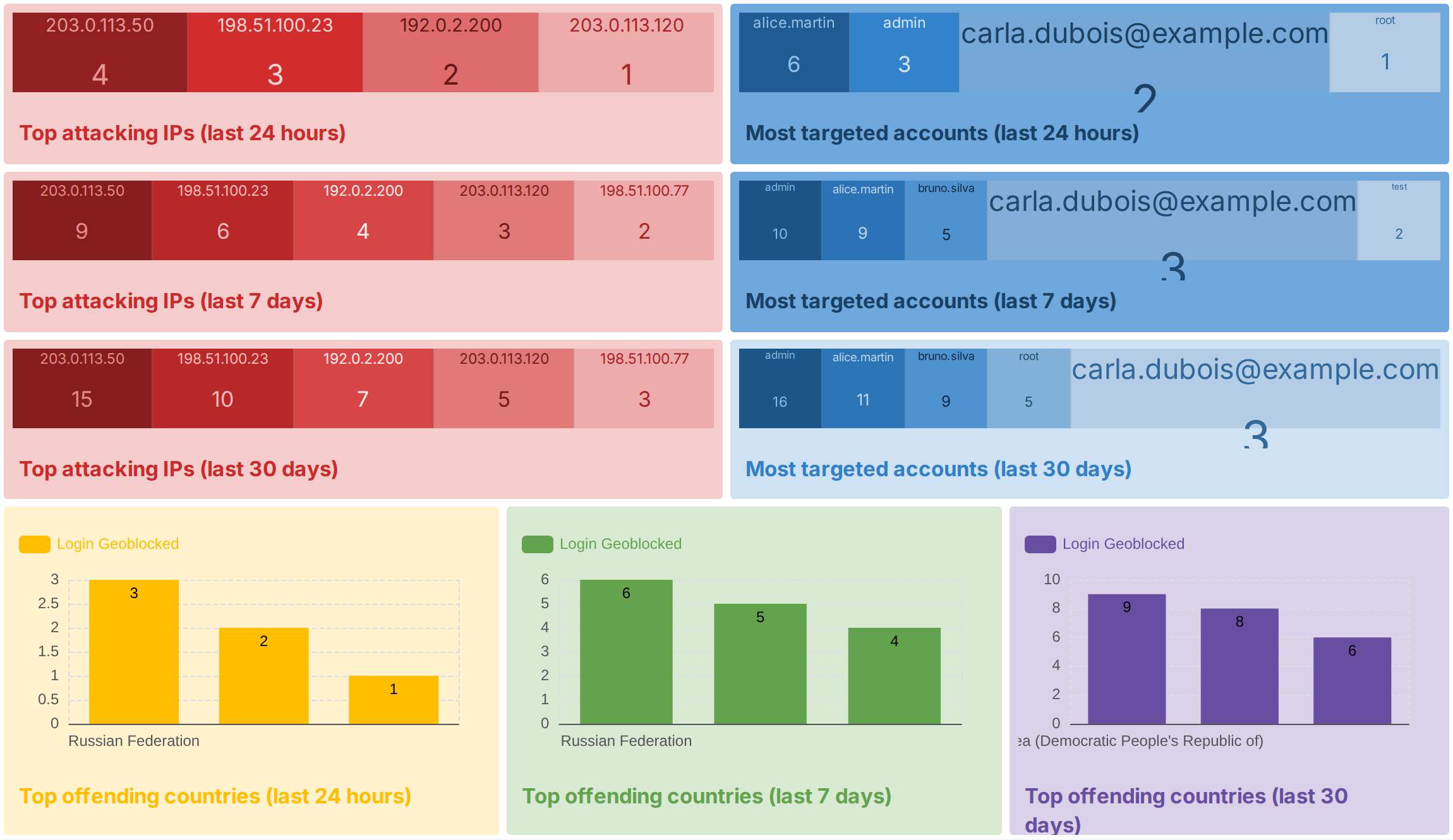
- Evidence and visibility — a read-only Security log for audits, and dashboard cards with the top attacking addresses, the most targeted accounts and the most offending countries.
1.3 Features
- Block an account after too many wrong passwords, for a duration that doubles with every further attempt up to a cap you set; forget the attempts after 12 hours without activity.
- Block an email address after too many password reset requests.
- Block a client address after too many attempts against any account, shared between the login and the reset forms.
- Detect an attack spread over several addresses against one account and block the account.
- Trusted reverse proxy addresses, so the client address is read from
X-Forwarded-Foronly for requests that come from them. - Whitelist of addresses and networks (IPv4, IPv6, CIDR) that skip every address limit and geoblocking.
- Geoblocking of logins by country, allowing or denying a list of countries, with DB-IP's free Lite database refreshed monthly.
- Active blocks card in the configuration, with column filters and sorting, to unblock one row, the selected rows or all the rows shown.
- Read-only Security log (Administration > Security log) with an attempt list and a summary, and its own Read right per profile.
- Nine dashboard cards (top attacking IPs, most targeted accounts and top offending countries, each for 24 hours, 7 days and 30 days) and a ready-made More Security dashboard.
- The same protections for CalDAV logins, the REST API and the OAuth password grant of the High-Level API.
- Automatic actions that purge old counters and old log entries, and refresh the GeoIP database.
Generated for More Security 3.0.1 on GLPI 12.0.2 — 2026-11-25.