5.1 Where to find it
5.1.1 Where the GDrive button is
The GDrive button next to the usual file upload lets the user attach a file of their Google Drive.
5.1.1.1 In a ticket
The button is shown below the upload area of every form of a ticket that accepts files: a followup (Answer), a solution, a task and a validation request, and also in the forms of changes and problems. It appears as GDrive with the Select file button. Open the form (here Answer) and the button is there.
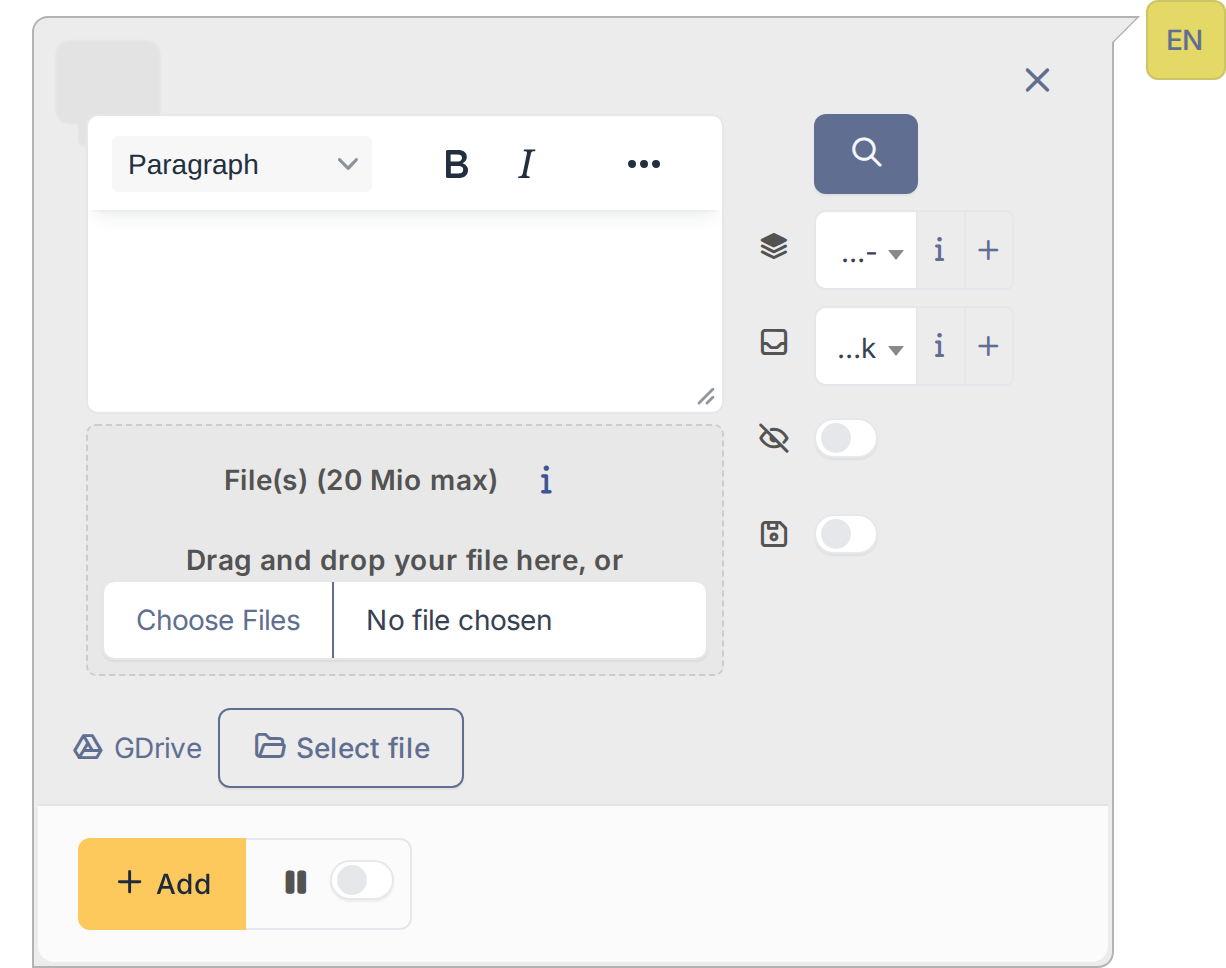
The GDrive button in the form of a followup
5.1.1.2 In the documents of an asset
In the Documents tab of an asset (computers, monitors, printers, network equipment, phones, racks and the other asset types) the button is at the bottom of the page, under the list of documents. The file picked is attached to the asset as a new document.
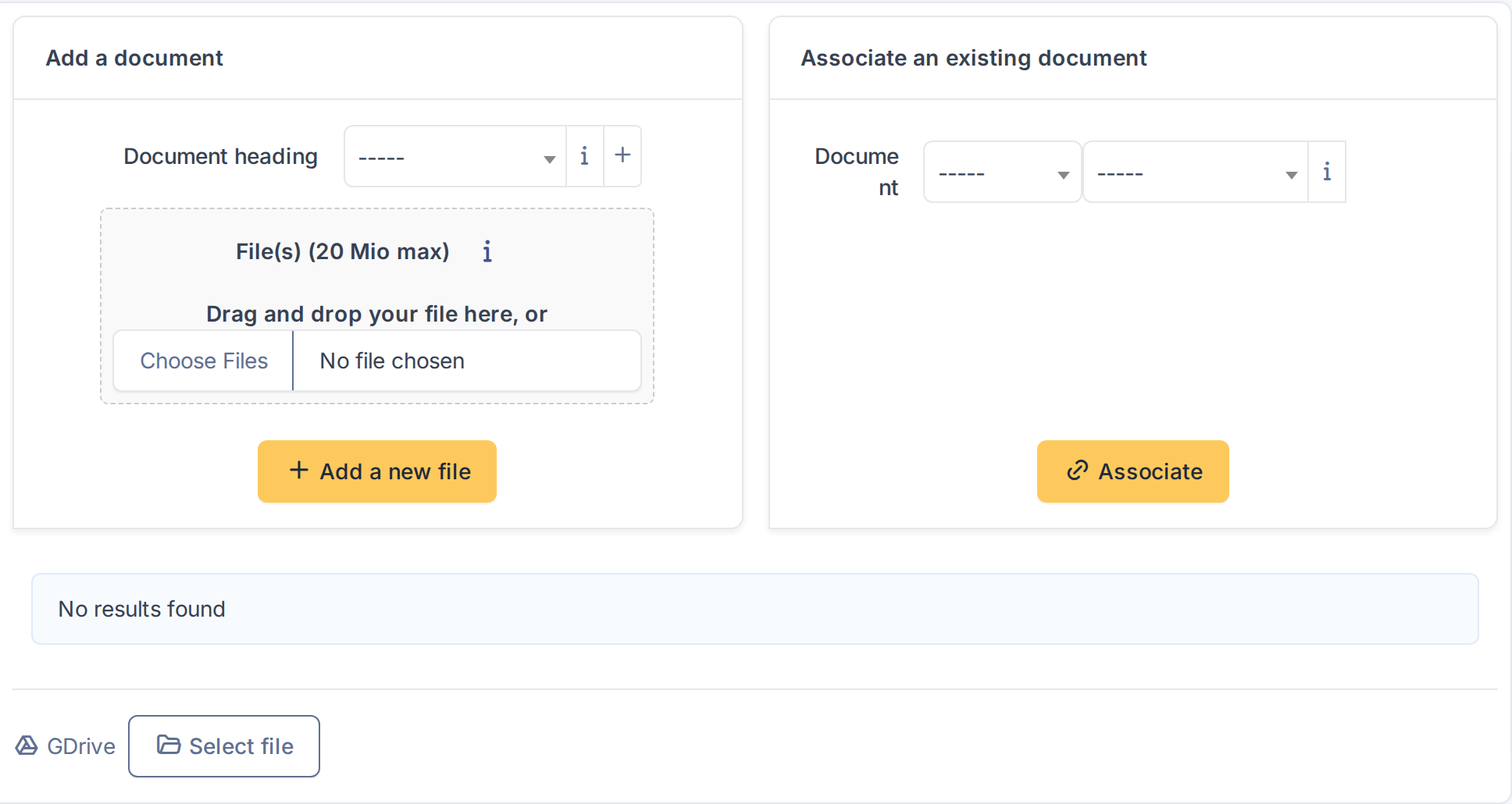
The GDrive button in the Documents tab of a computer
Generated for GDrive 4.0.1 on GLPI 12.0.2 — 2026-11-20.
