
5.2 Following your storage
5.2.1 Dashboard cards
Borgbase adds five cards to the GLPI dashboards, to follow the storage you use in BorgBase.
5.2.1.1 Add the cards to a dashboard
Open Assistance > Dashboard, switch to edit mode and click Add a card: the Borgbase group holds five cards. Number of Repositories counts the repositories of the account. Current Use shows the storage in use, in GB. Number of Computers with a Repo Linked counts the computers that have a linked repository, in the entities you are working on, and opens the list of those computers when you click it. Used Quota shows the percentage of the plan in use, and Usage History the use over the last days, with a date filter. The cards need the Read level of the Borgbase right; without it they show zero or no data. The account figures come from BorgBase and are not limited by entity.
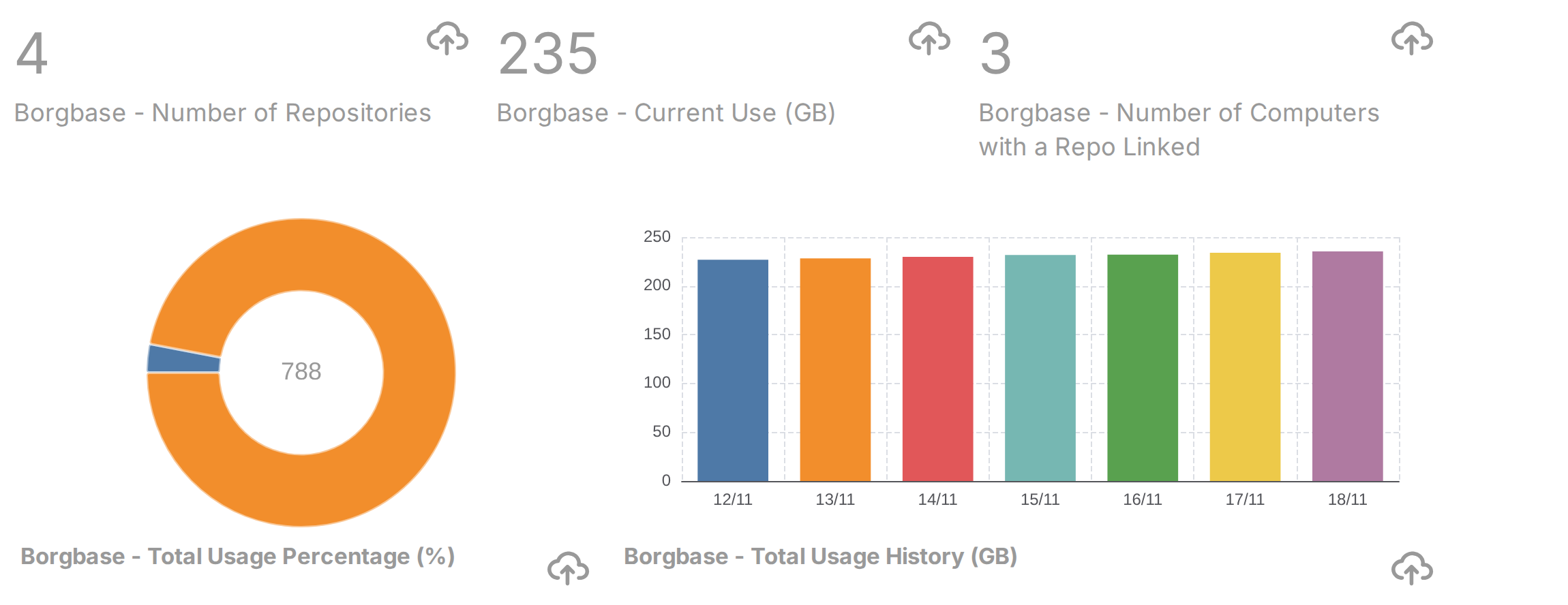
A dashboard with the five Borgbase cards
Generated for Borgbase 3.0.0 on GLPI 12.0.2 — 2026-11-20.