
5.1 Working with repositories
5.1.1 Repositories on computers
Each computer has a Borgbase tab with the data of its backup repository.
5.1.1.1 See the repository of a computer
Open a computer and select the Borgbase tab. When the name of the computer is the same as a repository in your BorgBase account, the plugin links them the first time you open the tab and shows the repository: its Name, the Alert Days after which BorgBase warns that no backup arrived, the Version of Borg, the Region, the compaction schedule, the Encryption, the Current Usage and the Creation Date. Last Backup is the date of the last change of the repository. The link and its data are kept in GLPI, and recorded in the Historical tab of the computer.
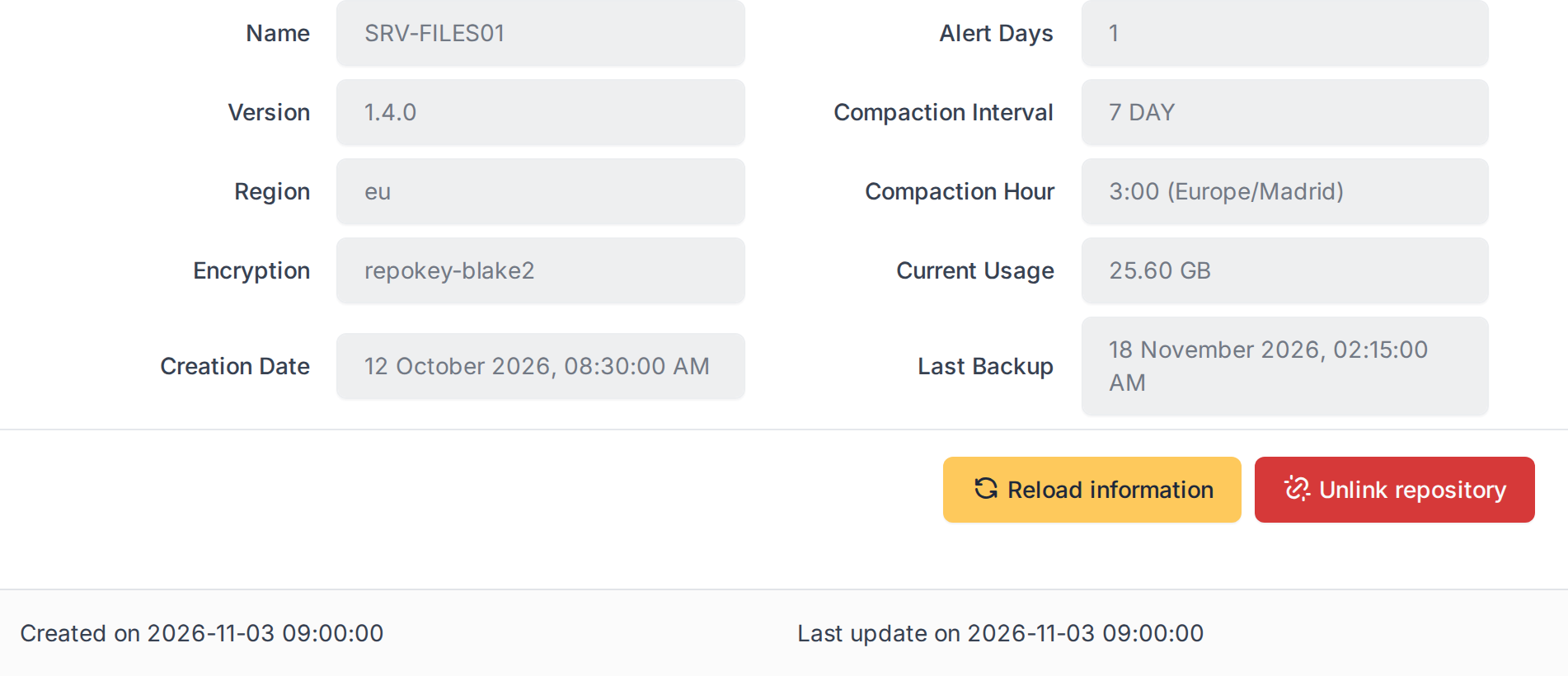
The repository of a computer
5.1.1.2 Refresh the data
The data is a copy, refreshed every day by the automatic action. Click Reload information to refresh it now. If BorgBase cannot be reached, GLPI shows Check API connection and keeps the data it had.
5.1.1.3 Link a repository by hand
When no repository has the name of the computer, the tab says Not registered. Choose one in Select a repository and click Link repository. The list offers only repositories that no other computer uses, because a repository belongs to a single computer and a computer has a single repository. This needs the Create level of the Borgbase right and the right to update the computer.
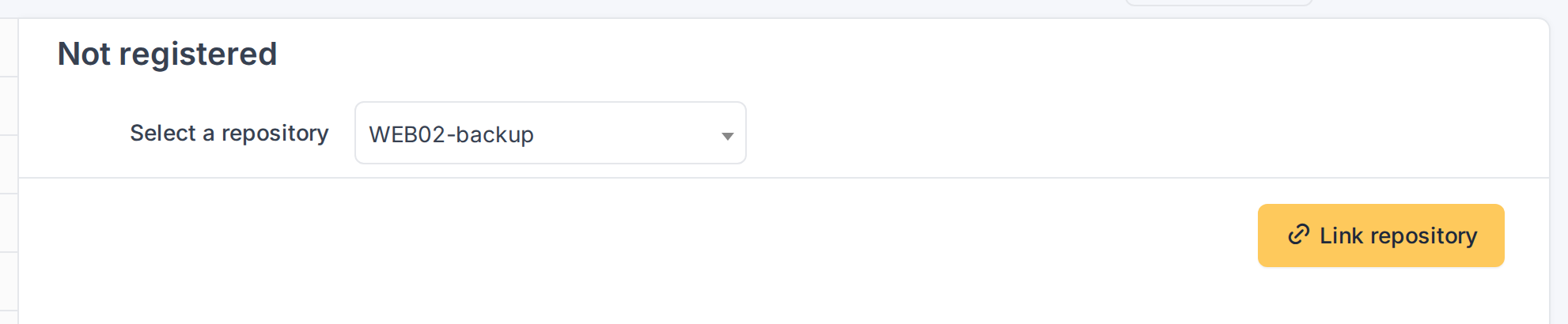
Choosing the repository of a computer
5.1.1.4 Unlink a repository
If a link is wrong, click Unlink repository and confirm. Only the link is removed from GLPI; nothing changes in BorgBase, and the repository can be linked to another computer. This needs the Purge level of the right. Deleting a computer for good also removes its link.
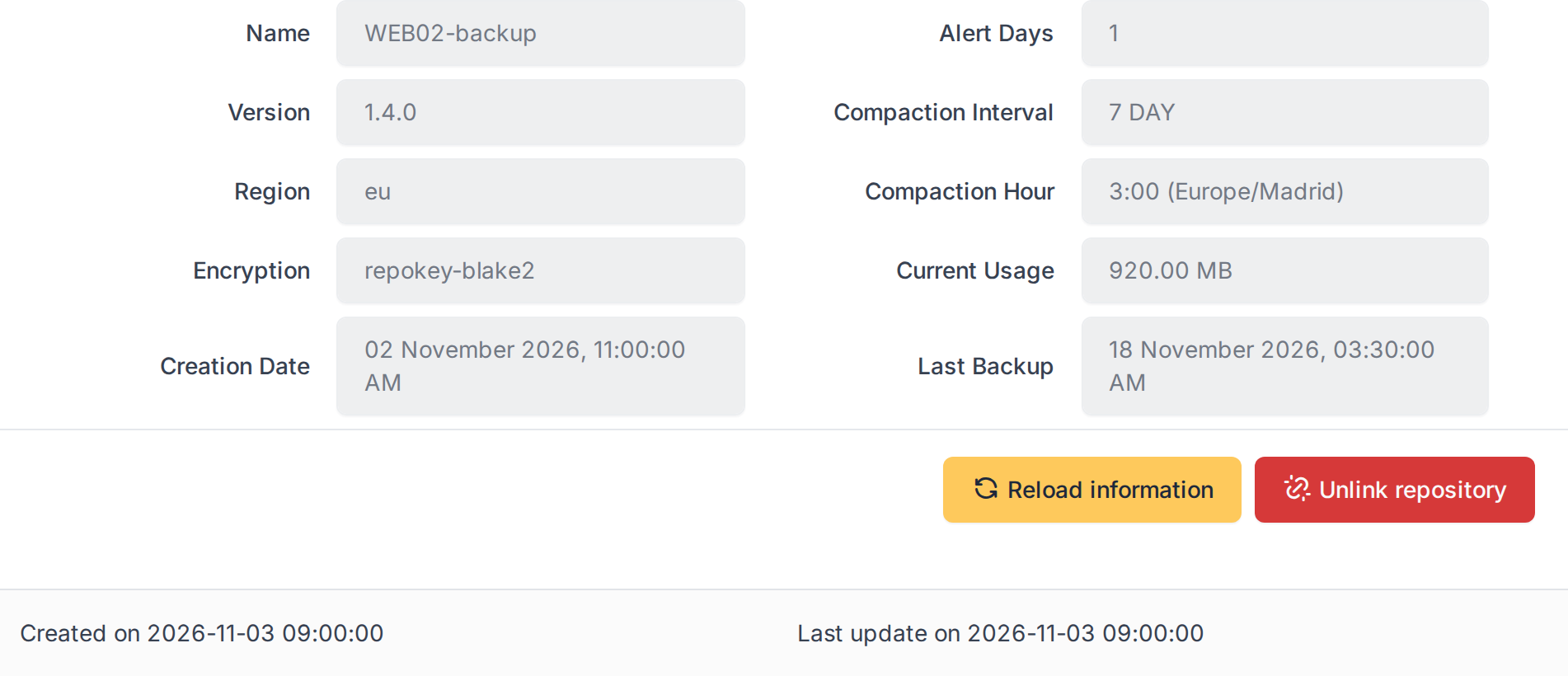
A repository linked by hand, with the Unlink button
5.1.2 Searching computers by repository
The repository data can be used in the search of computers, as columns and as criteria.
5.1.2.1 Show the repository in the computer list
In Assets > Computers, open the column selector and look for the Borgbase group: Repository Name, Repository Creation Date, Repository Last Modification, Encrypted, Current Usage and Alert Days. Add the ones you need. The same fields can be used as search criteria, for example Repository Name contains a text to find the computers whose repository follows a naming rule, or Alert Days to find repositories with a short alert. Computers without a repository leave those cells empty; only Current Usage shows 0.00 MB.
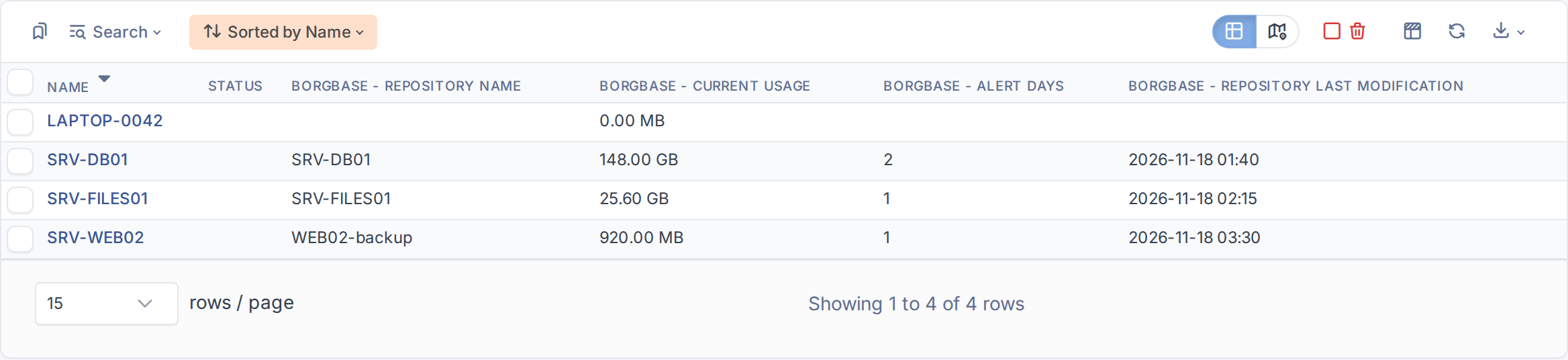
Computers with the columns of their repository
Generated for Borgbase 3.0.0 on GLPI 12.0.2 — 2026-11-20.