
1. Introduction
1.1 What Access Transparency does
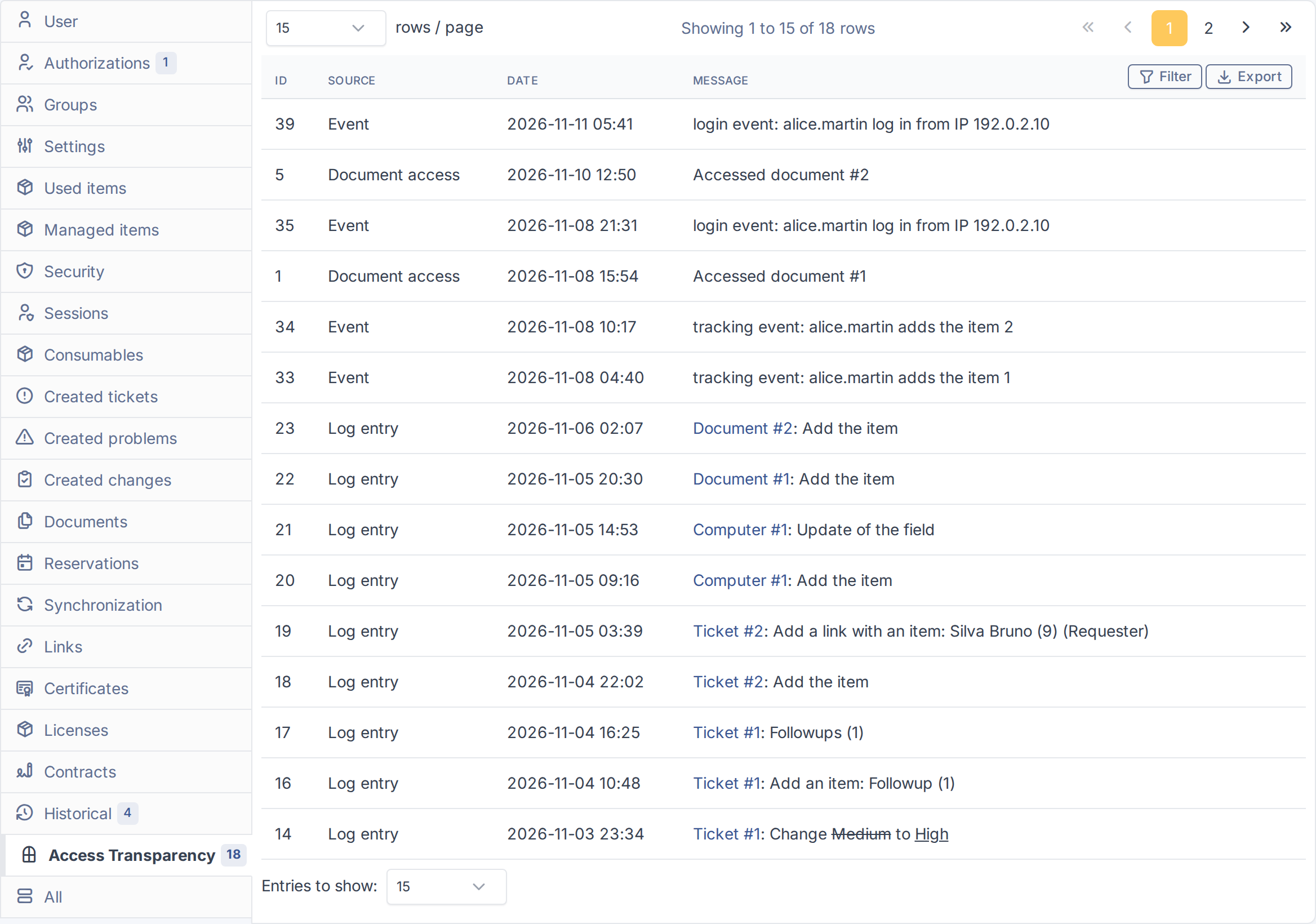
Access Transparency gives GLPI a single place to see what a user has done. It adds an Access Transparency tab to every user, with what that person changed across GLPI, the events of the system log and the documents they opened, and a tab on every document showing who opened it and when. Both lists can be filtered and exported to CSV.
1.2 Key benefits
- One view per person — GLPI's history shows what changed on one item; there is no screen answering "what has this user done?". Here every record of a user is in one list.
- Know who opened a document — each time someone opens or downloads a document, the plugin records who did it and when, and from which item when it was opened from one.
- Evidence you can hand over — filter by source or date and export exactly what is on screen to CSV, for an audit or an access request.
- No noise from service accounts — logins such as the inventory agent can be excluded, so nothing is recorded for them.
- Respects who may see what — a reader only sees records they could already see in GLPI: the history, the system log and the entities of each item are checked.
1.3 Features
- Show an Access Transparency tab on every user, listing their actions: item changes, system events and document accesses.
- Show an Access Transparency tab on every document, listing who opened it, when, and from which item.
- Filter the lists by source, date and, on documents, by user, with paging.
- Export the list as it is filtered to a CSV file, from the user tab and from the document tab.
- Record every document download as soon as it happens, including those made through the High-Level API and those made while impersonating another user.
- Keep the records for a chosen number of months, or keep them all, and purge the older ones automatically.
- Exclude chosen logins, such as service or inventory accounts, so nothing is recorded for them.
Generated for Access Transparency 2.0.0 on GLPI 12.0.2 — 2026-11-20.