
Configuration
5.1 Plugin settings
placeholderAll options below are grouped under Setup > General > Gapp eXtended (not a dedicated "Waypoint" page — Waypoint's settings share that tab with a few unrelated Gapp eXtended options, further up on the same screen).
(from 1.7.0) No (default): only the outbound trip, base → ticket, is billed. This also halves the number of Google API calls.
Yes: outbound and return distances and durations are added together.
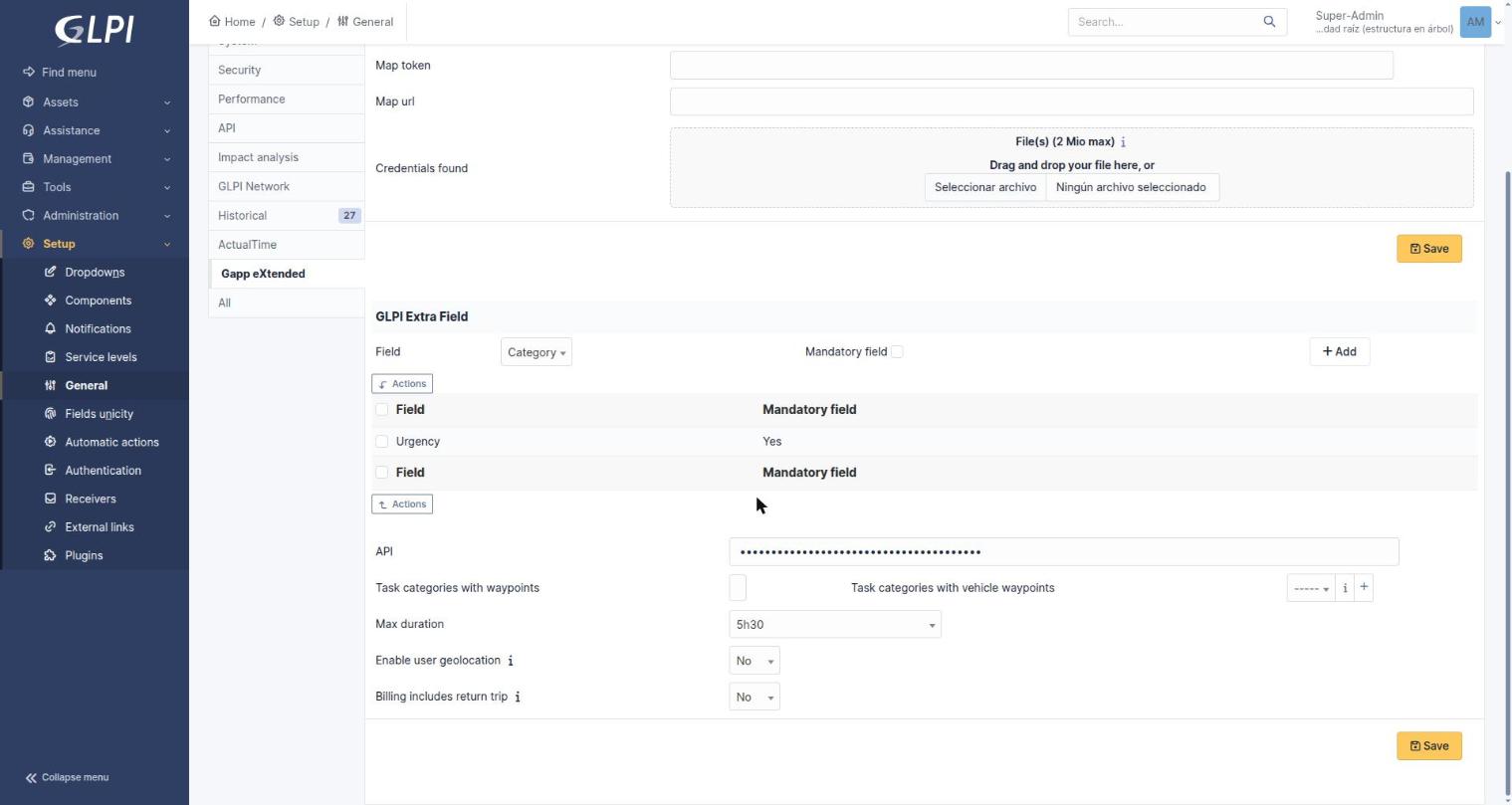
Setup > General > Gapp eXtended — every Waypoint setting from the table above, on the lower half of the same tab (API key field masked).
5.2 Create locations with coordinates
Define in GLPI the locations your technicians will visit, and give each one its latitude and longitude. This step is mandatory: a ticket whose location has no coordinates cannot be included in a route.
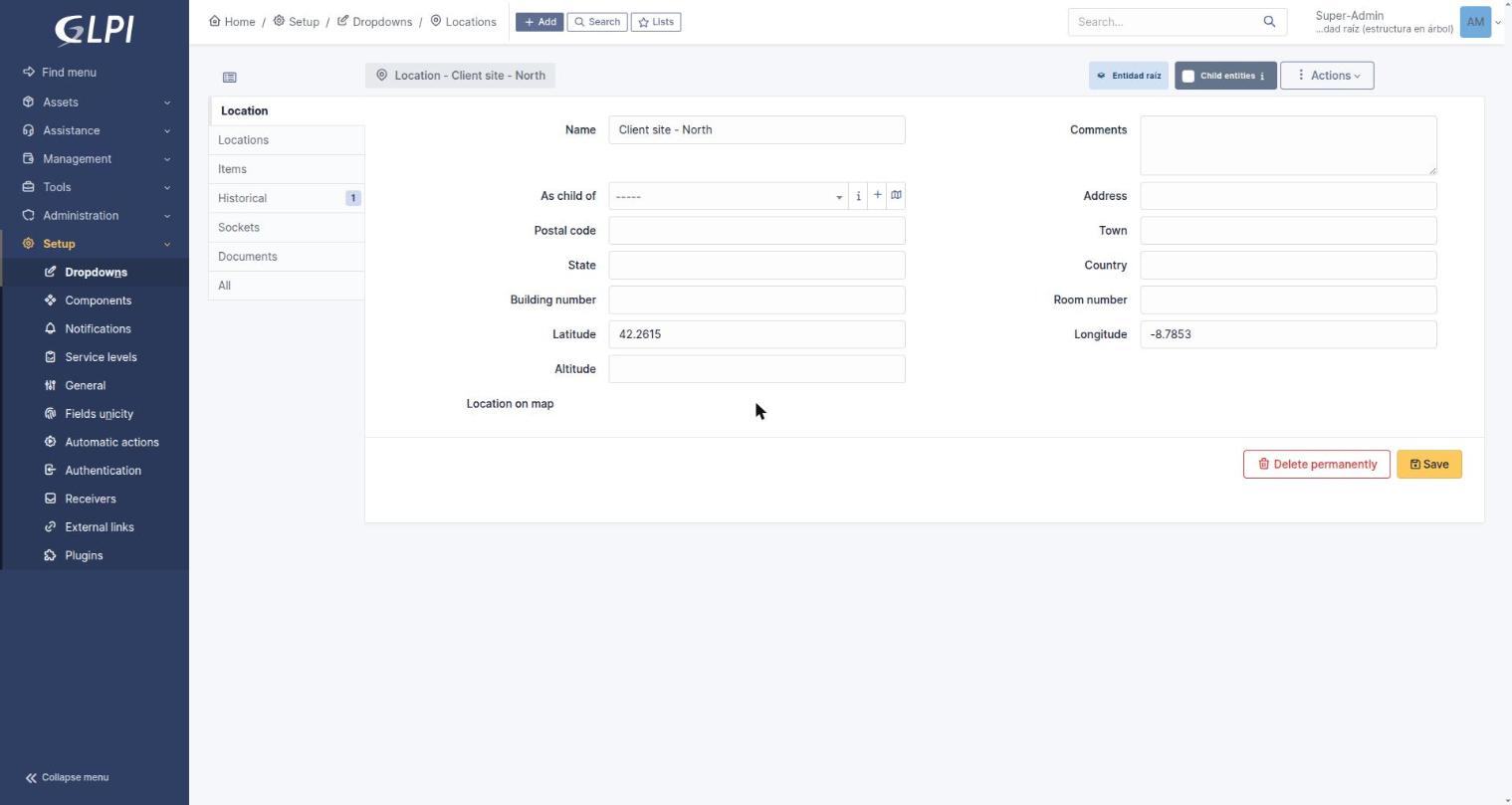
A GLPI Location form with the Latitude and Longitude fields filled in.
5.3 Configure profile permissions
Go to Administration > Profiles, choose a profile and open its Waypoint section. Assign rights according to each role's responsibilities.
The Geolocation section has its own separate right, provided by the gappextended plugin. Grant it to the profiles that need to see technician positions; without it, the Geolocation tabs are not accessible.
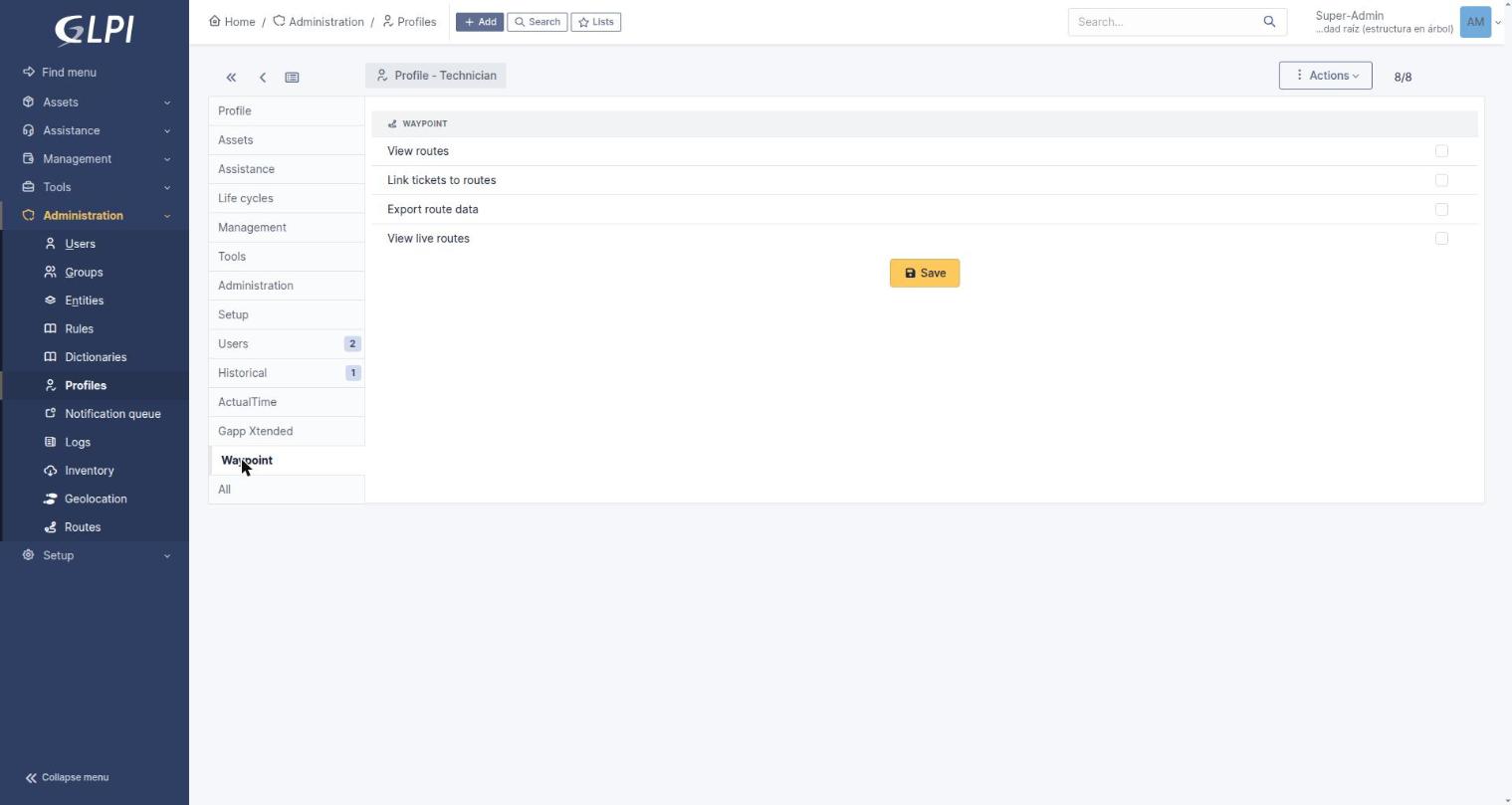
Administration > Profiles > Technician > Waypoint — the four rights matrix, all unchecked by default on a fresh profile.
5.4 Make tickets eligible for routes
For a ticket to appear in the app when building a route, two conditions must both be met:
If a ticket does not show up in the app's selection list, one of these two is almost always the reason.
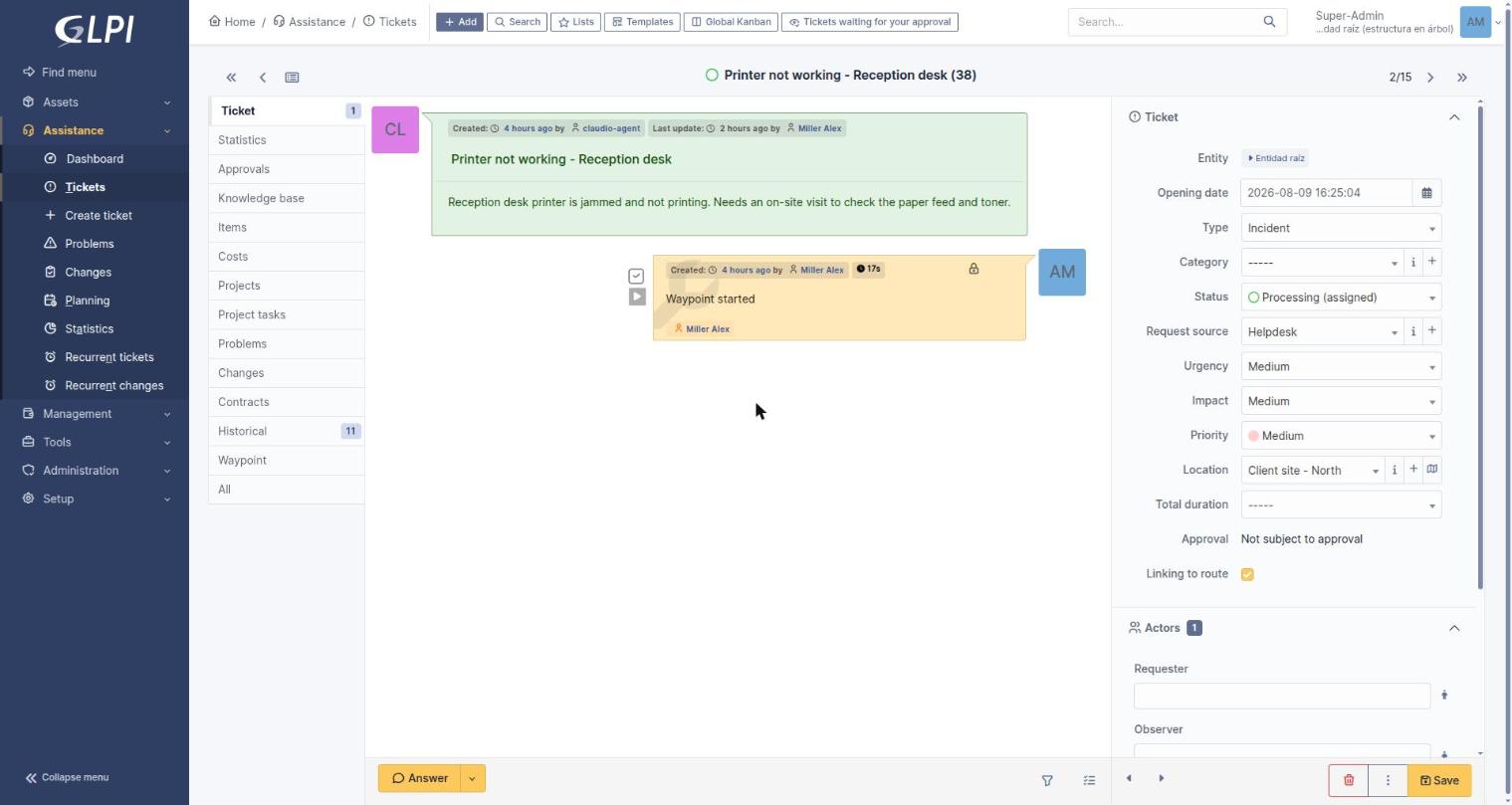
A ticket form with "Linking to route" set to Yes and a Location assigned (right-hand panel).