
4. Setup
4.1 Installation
Drop the plugin in plugins/onetimesecret, or install it from the Marketplace, then install and activate it from Setup > Plugins. Version 4 needs GLPI 12.0. You need an account in One-Time Secret, with access to its API.
4.2 Configuration
In your One-Time Secret account open Account > API Key and copy the API username and the API key. In Setup > General > One-Time Secret type the host of the service (without https://, eu.onetimesecret.com by default), the username, the key and the default lifetime. The action appears once the username and the key are set. A self-hosted server in a private network must be allowed in config/local_define.php.
4.2.1 Automatic actions
None.
4.3 Permissions
- Display OneTimeSecret button (profile tab One-Time Secret, read only): shows the action. The Super-Admin profile has it after the install.
- To send a secret the user must also be able to add followups to the ticket, in its entity, and the ticket must not be solved or closed.
- The settings need the right to read or update the GLPI configuration, and GLPI asks for the password again before showing and saving them.
- In GLPI 12.0 the action is not drawn in the simplified interface, even for a profile that has the right.
4.4 Connecting to One-Time Secret
The plugin creates the secret links in your One-Time Secret account, so it needs the host of the service and the API credentials of that account.
4.4.1 Open the One-Time Secret settings
Go to Setup > General and open the One-Time Secret tab. GLPI asks you to confirm your password before it shows the settings. After the install the Server is eu.onetimesecret.com, the lifetime is one day and the credentials are empty.
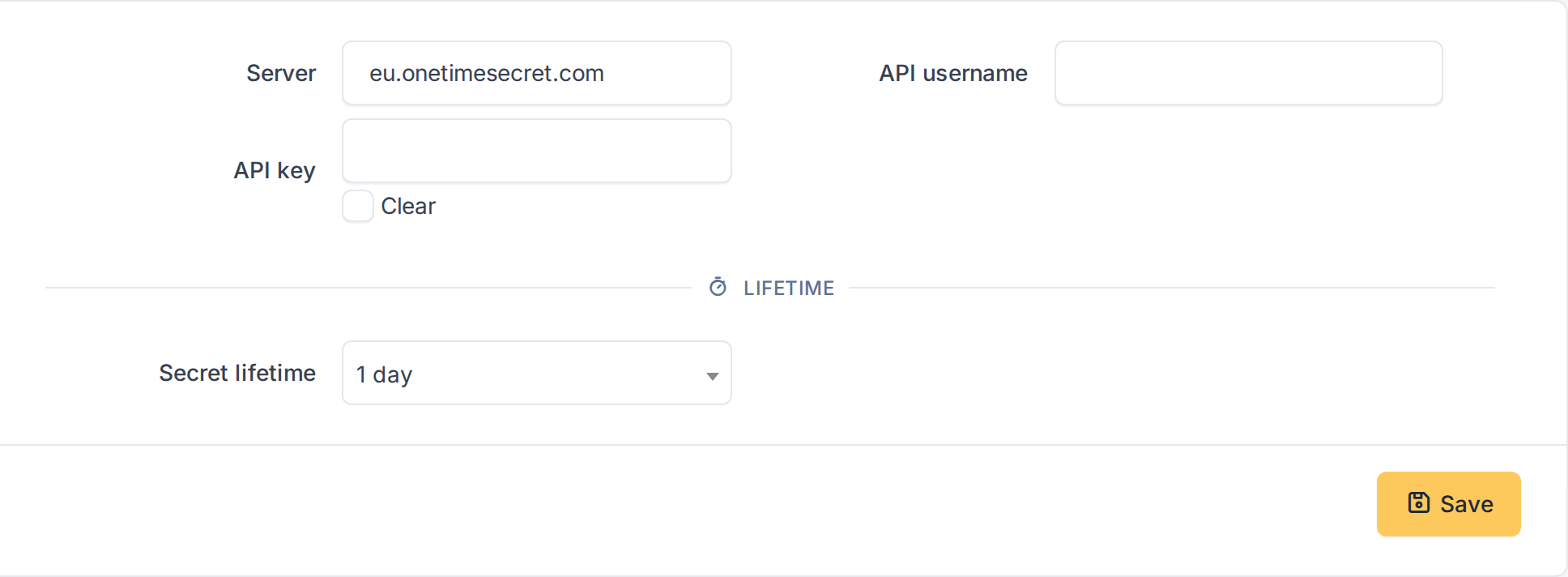
The One-Time Secret settings after the install
4.4.2 Enter the credentials
On the One-Time Secret site, in your account, open Account > API Key and copy the API username and the API key. Paste them in the two fields. Server is the host name of the service, without https://: keep eu.onetimesecret.com, use onetimesecret.com for the American site, or the host of your own server. Choose in Secret lifetime how long a link lives by default, from 5 minutes to 30 days; the user can change it for each secret. Click Save: GLPI asks for your password again. The key is stored encrypted and is never shown again, the field shows asterisks.
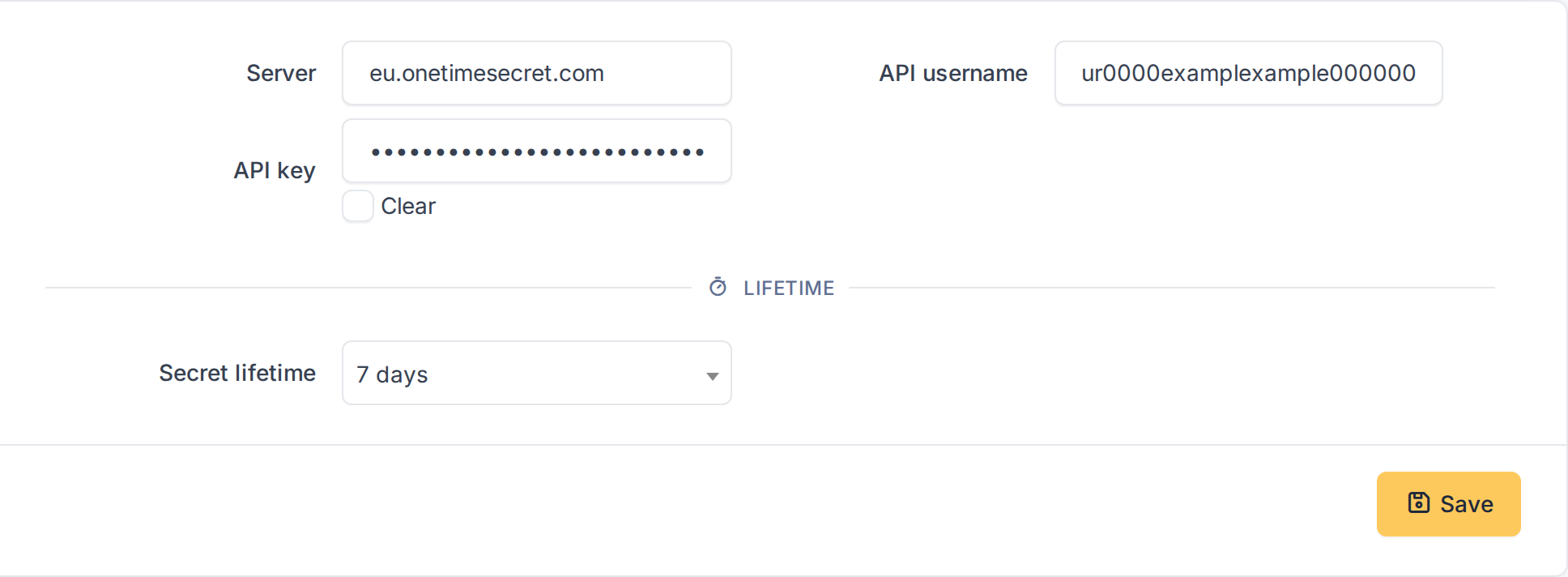
The credentials of the One-Time Secret account
4.4.3 Good to know
Changing the Server clears the saved key, so the key is never sent to a server it was not entered for: type it again. The server must be a host name (letters, digits, dots and hyphens, with an optional port). Without a username and a key the button does not appear in the tickets. If your own server is in a private network, GLPI blocks the request until you allow it in config/local_define.php, adding GlpiPlugin\Onetimesecret\Config to GLPI_SERVERSIDE_URL_ALLOWED_PRIVATE_NETWORKS_CONTEXTS; the proxy settings of GLPI are used.
4.5 Who can send secrets
4.5.1 Give the right to a profile
Go to Administration > Profiles, open the profile and select the One-Time Secret tab. Tick Display OneTimeSecret button and click Save. The right is read only: it shows the button. The Super-Admin profile has it after the install; the others do not. Besides this right the user must be able to add followups to the ticket, and the ticket must not be solved or closed. In GLPI 12.0 the action is only drawn in the standard interface: a Self-Service profile can be given the right, but its users do not see the button in the simplified interface.

The right to see the One-Time Secret button
Generated for One-Time Secret 4.0.1 on GLPI 12.0.2 — 2026-11-20.