
5.7 Maintenance

Part of the BSM manual — see also 1. Introduction, 2. What's New, 3. Scope, 4.1 General setup, 4.2 BSM settings, 4.3 Time windows, 5.1 Business Services, 5.2 Application Services, 5.3 Service Map, 5.4 RACI Matrix, 5.5 RACI summaries, 5.6 Technical services, 6. Troubleshooting.
5.7.1 Maintenance windows on services
Attach maintenance windows and blackouts to services, and BSM works out when maintenance can really happen: the upcoming windows, minus any blackout.
5.7.1.1 Attach windows to a service
Open a Business Service and choose Maintenance to attach blackouts; on an Application or Technical Service the same tab attaches maintenance windows.
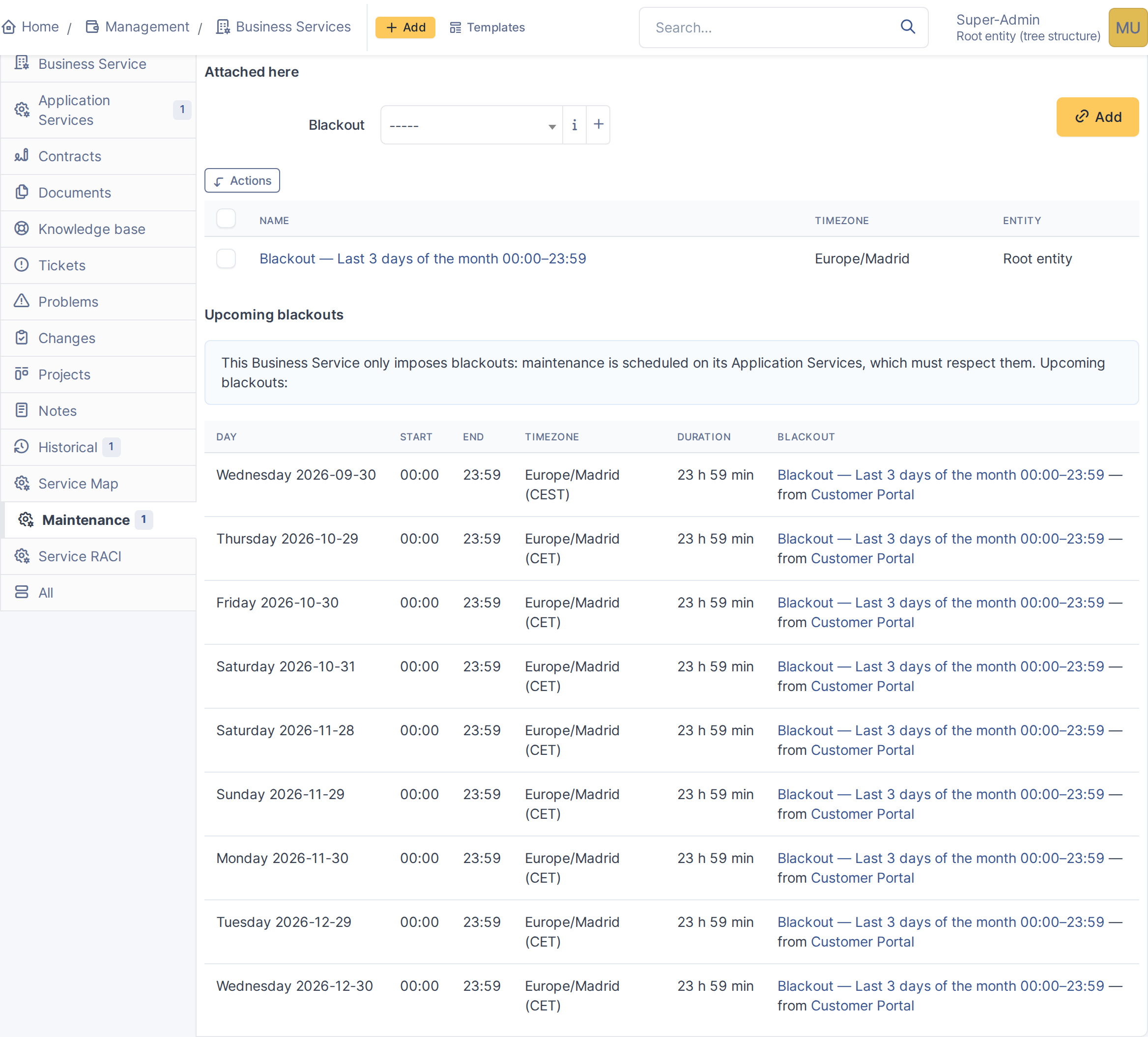
Blackouts on a Business Service
5.7.1.2 Read the upcoming windows
On an Application Service the tab lists the coming windows with blackouts removed. Where a blackout cut a window short, the row says which blackout caused it.
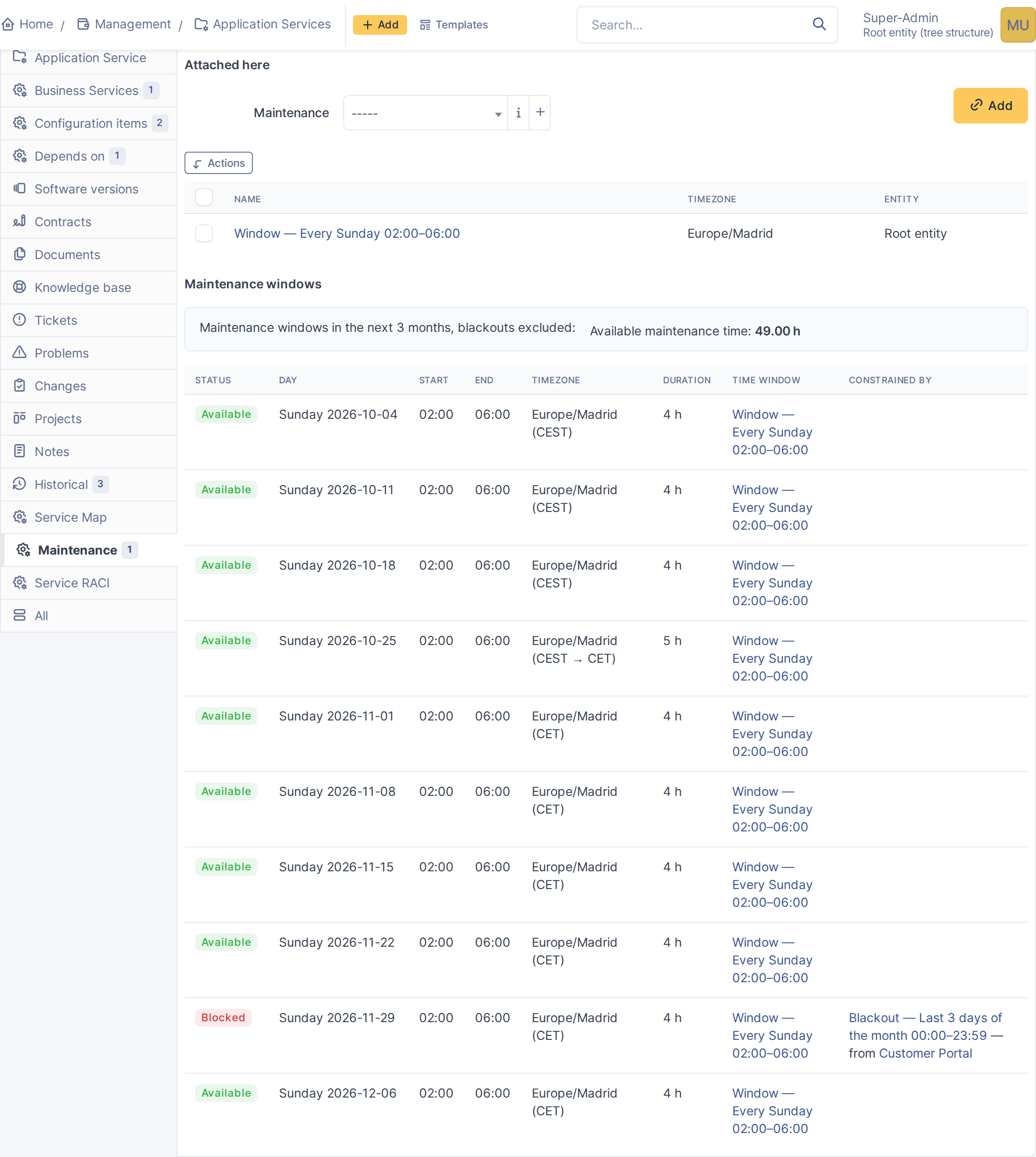
Upcoming maintenance windows
5.7.1.3 Windows inherited from a dependency
A technical service inherits blackouts from the services that depend on it when the dependency is set to propagate them.
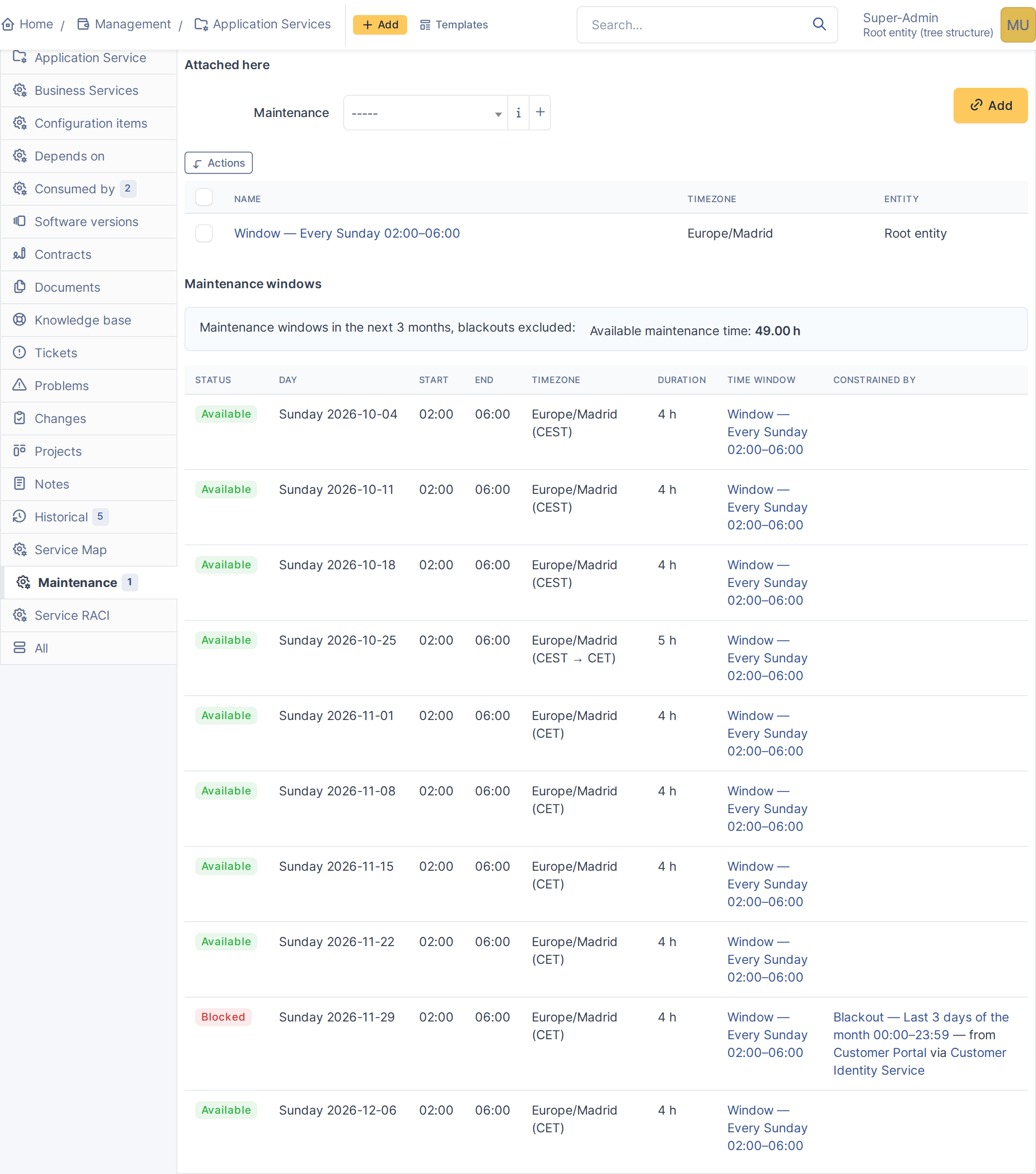
A technical service's Maintenance tab
5.7.1.4 Spot a service with no possible window
When blackouts leave no maintenance window inside the horizon, the service form shows a warning and the Maintenance tab says so.
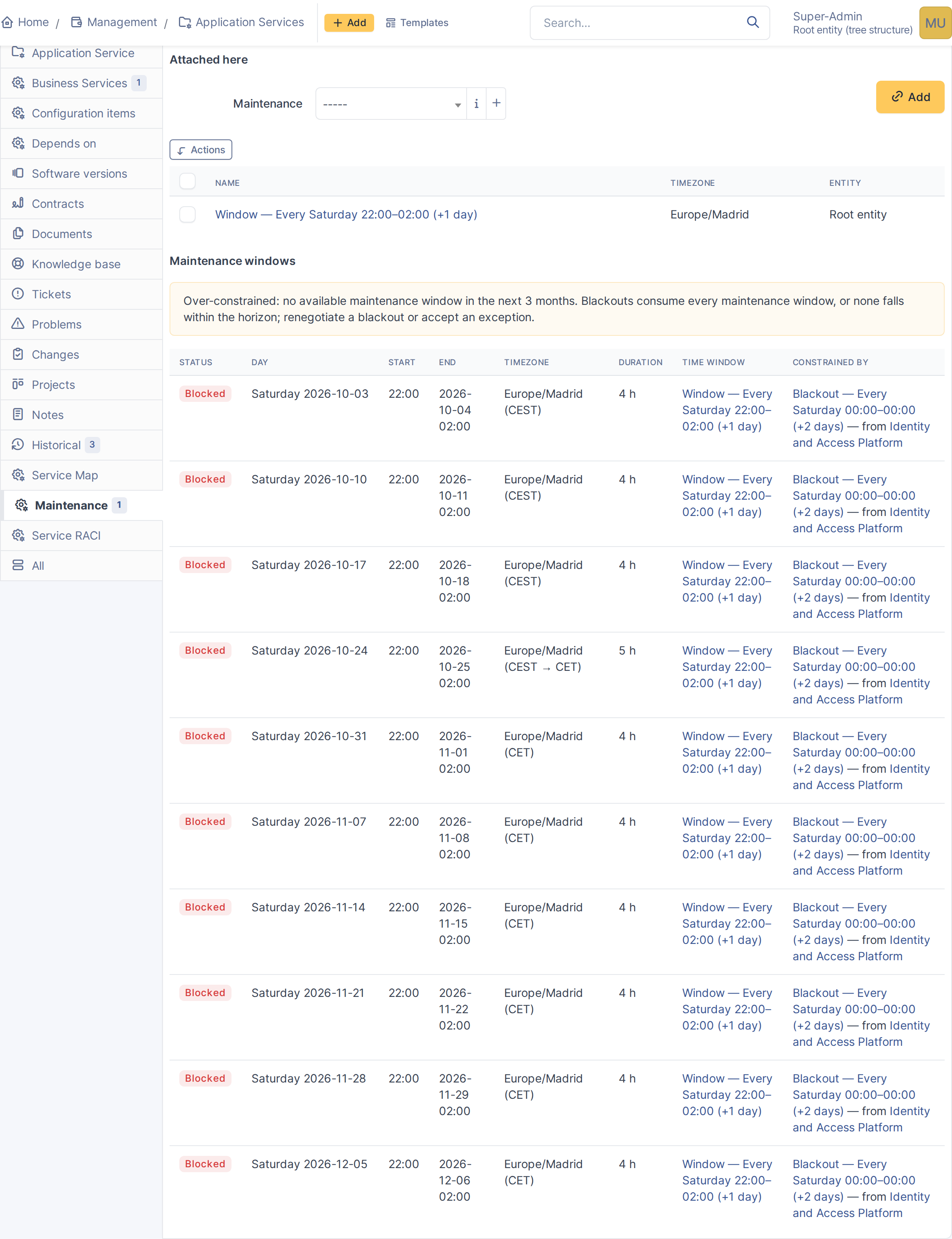
The warning on the form
No window available
5.7.1.5 Maintenance on configuration items
A configuration item linked to a service gets a read-only Maintenance tab showing the windows it inherits.
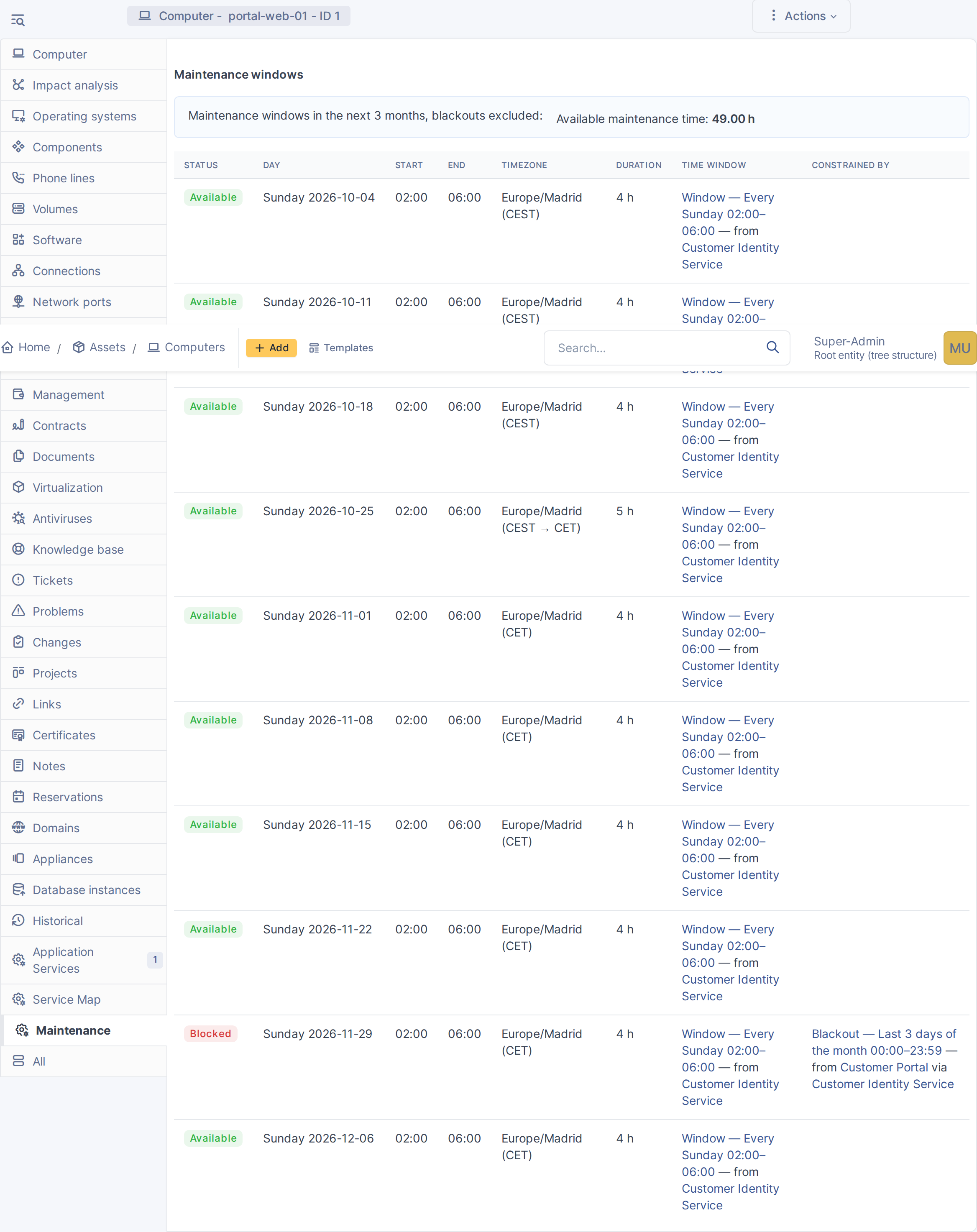
A configuration item's Maintenance tab
Note: The saved search Services with no available maintenance window lists every affected service at once.
Generated for BSM 1.0.0-beta.2 on GLPI 11.0.10 — 2026-09-30.