
Read and assign assets to a user
Página
Howprincipaltodondereadsethevenassetsvariasaopcionesuserperohasunaandqueassignponenew"assetoneshandover"from,thetieneAssetqueHandoverentrarsection.
1. Open Asset Handover
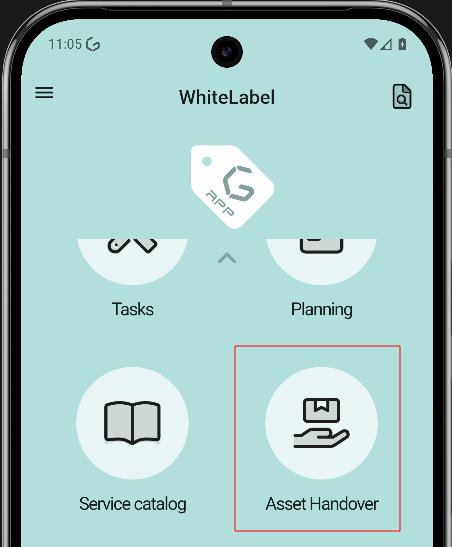
PágianFrom dondethe semain miranscreen, dosopen opciones,the readside qrmenu codeand ytap selectAsset user,Handover seto seleccionaenter lathe segunda,section.
2. Choose how to assign
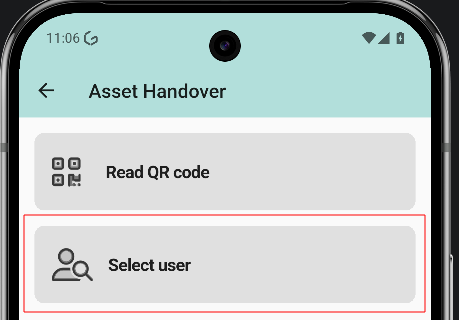
PáginaThe dondescreen seoffers muestratwo eloptions: listaopRead deQR usuarioscode peroand enSelect esteuser. casoThis seguide seleccionacovers Alexthe SmithSelect user flow.
3. Select the user
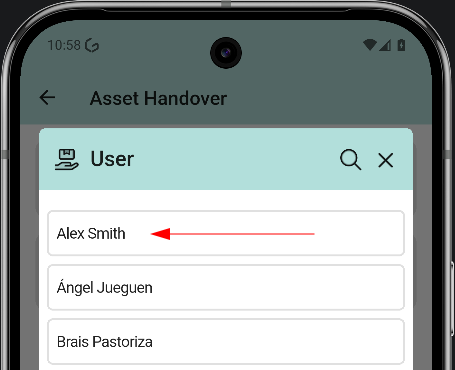
AhoraThe teuser pasaríalist aopens. laTap fichathe deuser lawho personareceives dondethe seasset. podríanIn leerthe losexample, assetsAlex queSmith.
4. esaRead personaand (2,assign hazfrom listado)the yuser donde se podrían añadir nuevos assets (1)profile
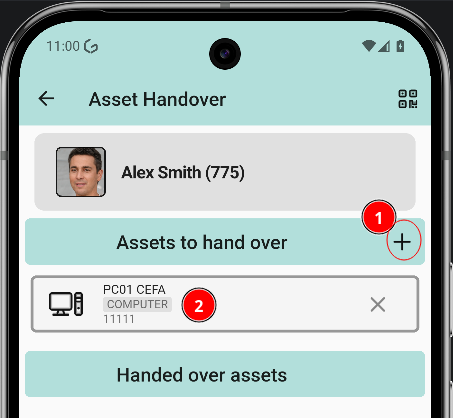
ListadoTapping dea Assetsuser dondeopens eltheir usuarioprofile, tendráwhere quethe seleccionarassets elof quethat gusteperson can be read and new ones can be assigned. Two actions are available:
5. Pick the asset
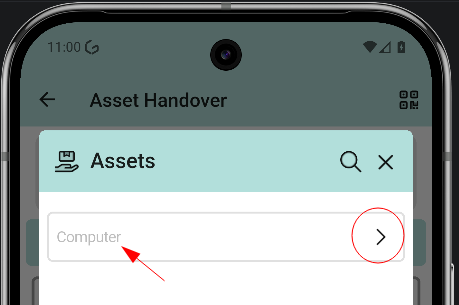
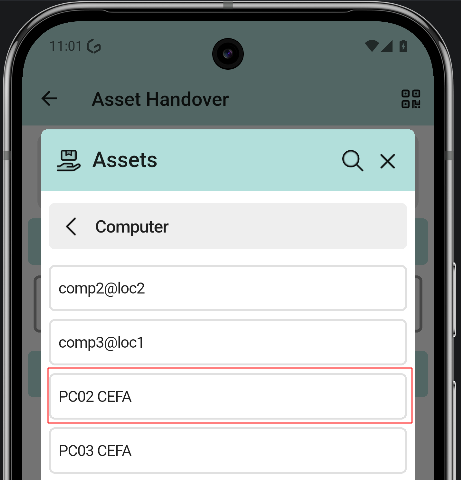
Listado donde ahora aparecen el anteriorThe asset ylist elopens nuevowith the available assets. Tap the asset to assign.
6. Asset added
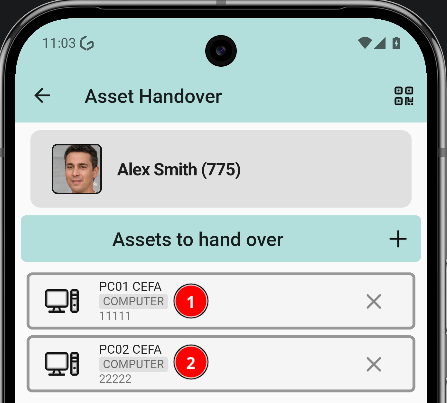
Back in the user profile, the asset list shows the previous asset and the newly assigned one.