
Settings
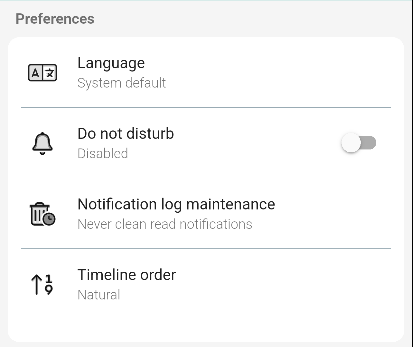
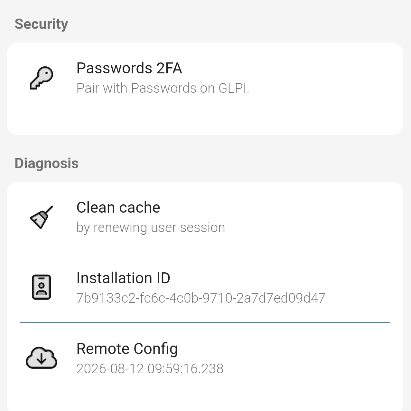
The settings screen with the application options. It opens from the gear icon in the side menu (or from the login screen when not logged in).
⚠
NECESARIA
1. Change language
The default language is the system language. To change it:
2. Clean cache
The cache may need to be refreshed for the application to work correctly, as in GLPI:
3. Do Not Disturb
Do Not Disturb silences all app notifications. While active, notifications are logged silently instead of producing sound or vibration.
3.1. Do Not Disturb active
With Do Not Disturb enabled, a banner appears on the main screen. Tapping it opens the list of notifications that arrived while the mode was active.
⚠ CAPTURA NECESARIA (SCREENSHOT NEEDED): Captura del banner de Do Not Disturb en la pantalla principal.