
Asset handover
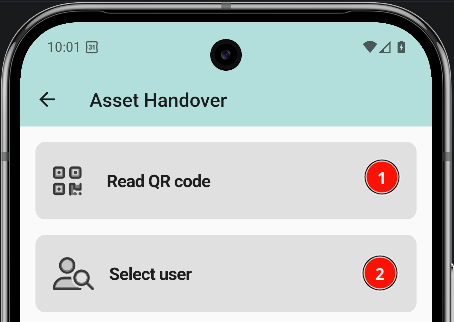
The Asset Handover section reads the assets a user has and assigns new ones. It opens from the side menu.
⚠ CAPTURA NECESARIA (SCREENSHOT NEEDED): Captura de la pantalla de Asset Handover con las dos opciones de asignación.
1. Choose how to assign
The screen offers two options:
⚠
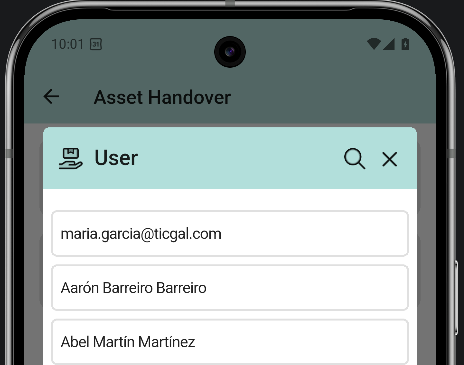
2. Select the user
The user list opens. Tap the user who receives the asset.
⚠
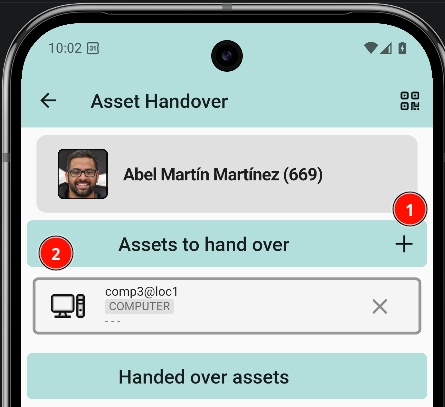
3. User profile
Tapping a user opens their profile, where the assets of that person can be read and new ones assigned. Two actions are available:
⚠
4. Pick the asset
The asset list opens with the available assets. Tap the asset to assign.
5. Asset added
Back in the user profile, the asset list shows the previous asset and the newly assigned one.
⚠ CAPTURA NECESARIA (SCREENSHOT NEEDED): Captura del perfil del usuario con el nuevo asset ya asignado.