
1. Introduction
1.1 What More Groups does
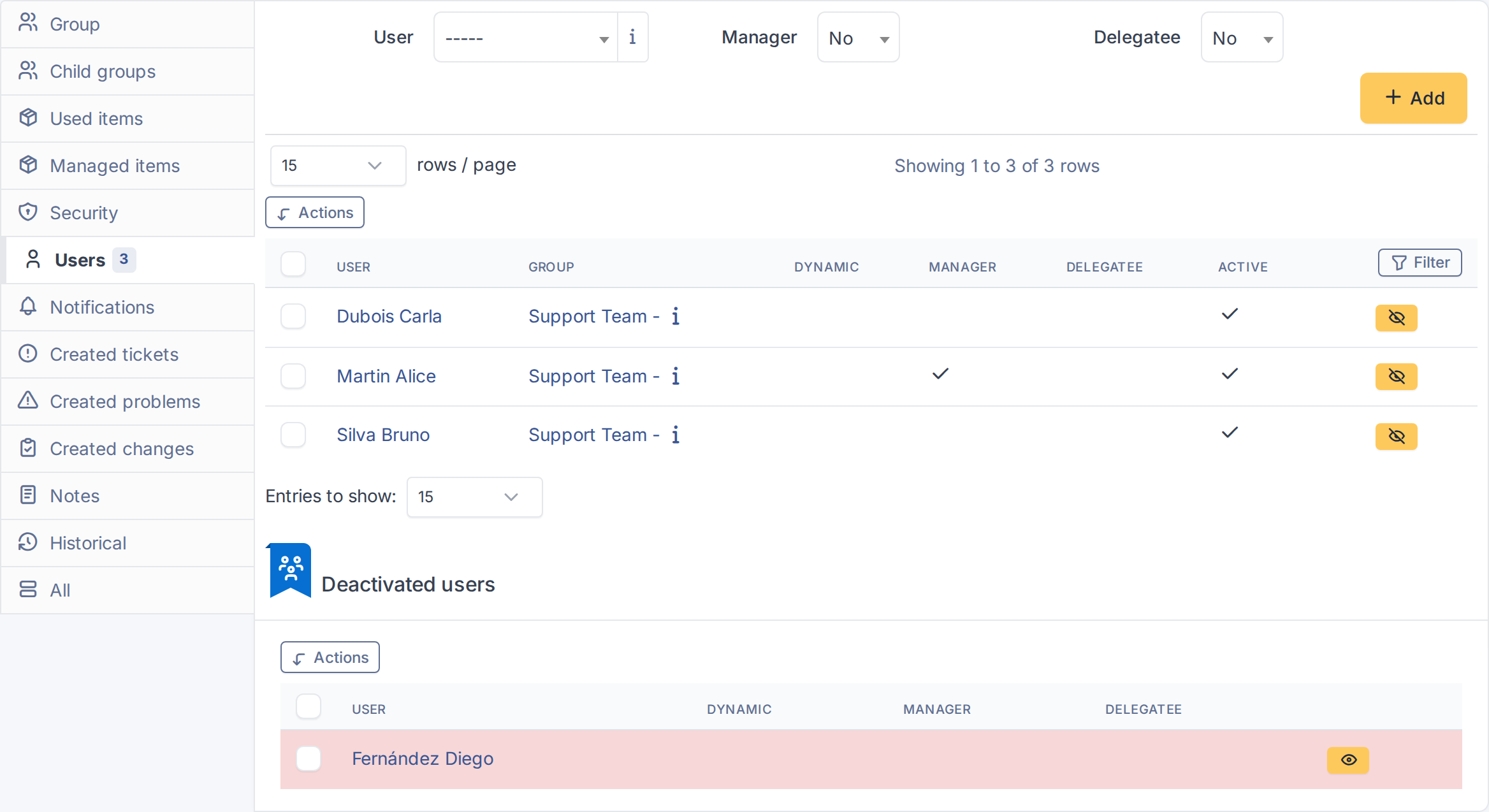
More Groups adds a Deactivated users panel to every group's Users tab in GLPI. It lets you take a member out of a group's active roster without deleting their membership, and put them back with one click, with their Manager, Dynamic and Delegatee flags intact.
1.2 Key benefits
- Pause a membership without losing it — GLPI's native way to take someone out of a group deletes the membership and forgets whether they were a manager, a dynamic member or a delegatee. Here those flags are kept and come back when the member is reactivated.
- No more stale memberships — a parental-leave cover, a seasonal support rotation or a contractor between assignments no longer has to stay in the group "just in case", or be re-created by hand later.
- Fits groups managed by hand — on-call rosters, shift rotations and other groups whose membership changes by decision rather than through LDAP/AD synchronisation.
- Same rules as the rest of GLPI — whoever can add and remove members of a group can also deactivate and reactivate them, and entity restrictions still apply. There is no extra permission to manage.
1.3 Features
- Show a Deactivated users panel on every group's Users tab, listing the members deactivated for that group, with their Manager, Dynamic and Delegatee flags.
- Deactivate a member with one click from the active members list.
- Reactivate a member with one click from the Deactivated users panel, restoring their flags.
- Deactivate or reactivate several members at once with the Deactivate users and Activate users massive actions.
- Clear a member's deactivated record automatically when the same user is added again through GLPI's own "Add user to group" form.
Generated for More Groups 3.0.0 on GLPI 12.0.2 — 2026-11-19.