
1. Introduction


Part of the Agile Project Management manual — see also 2. What's New, 3. Scope, 4.1 General setup, 4.2 Labels and notifications, 5.1 The board, 5.2 Cards, 5.3 Labels and checklists, 6. Troubleshooting.
1.1 What Agile Project Management does
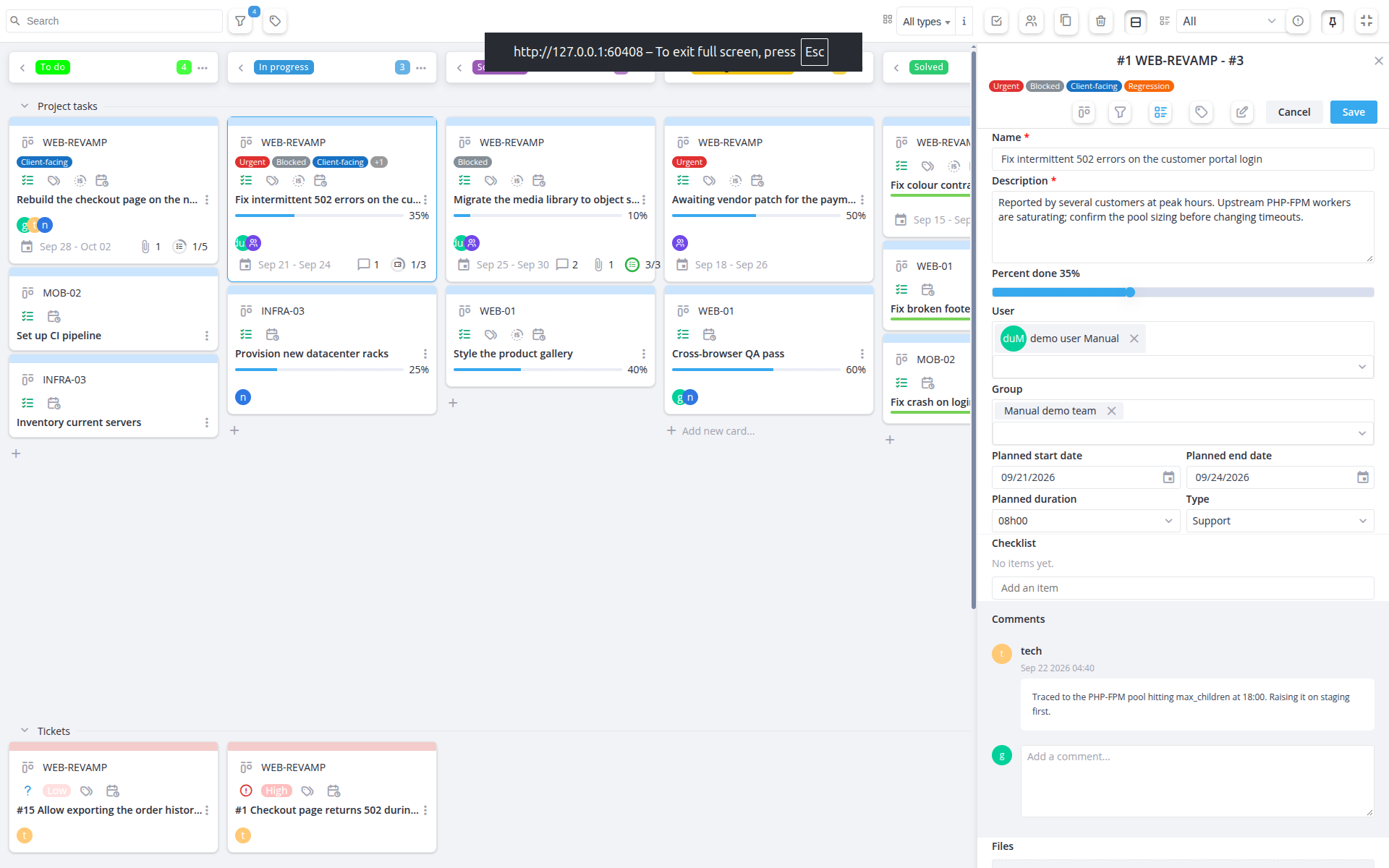
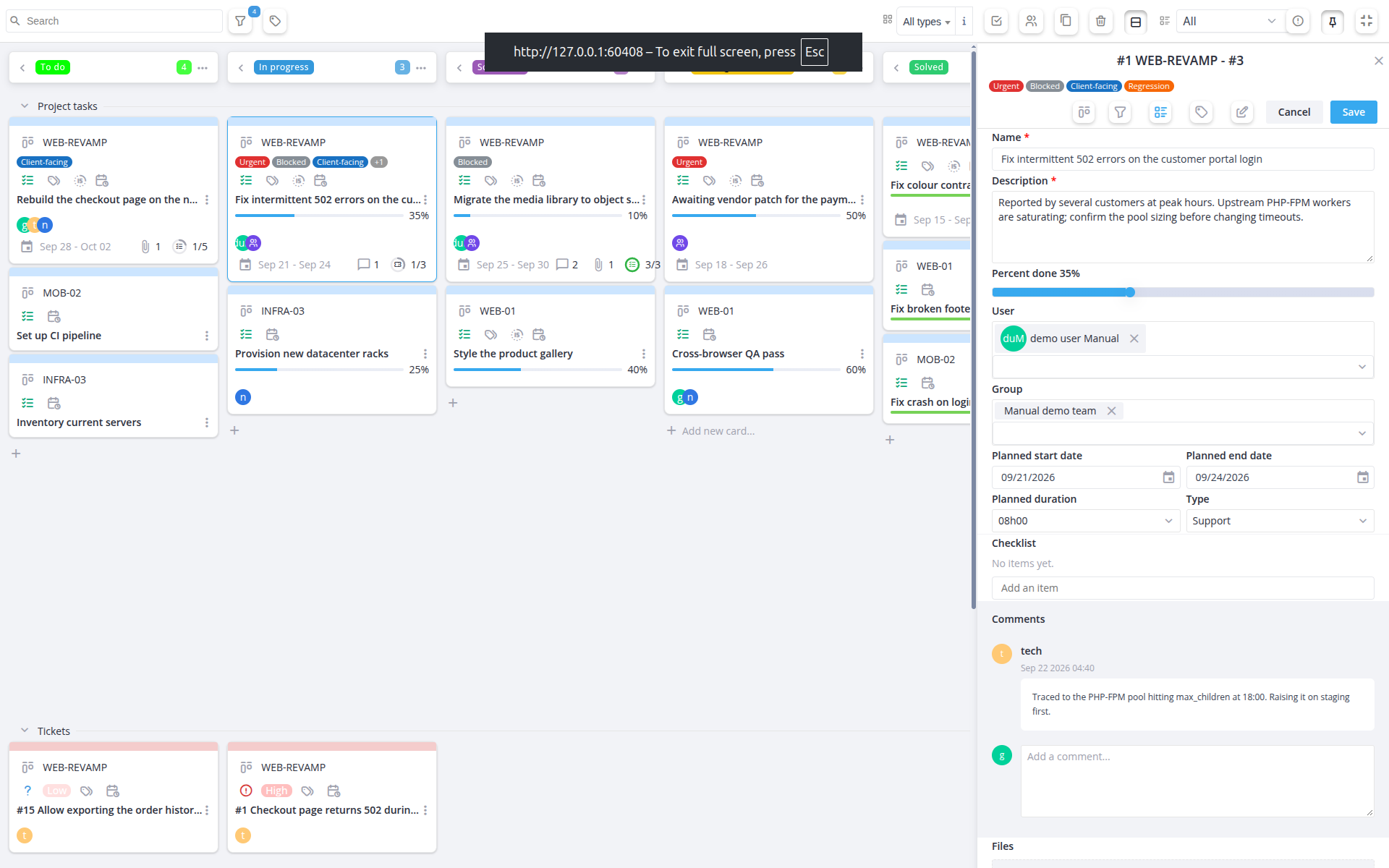
Agile Project Management (APM) adds an agile, drag-and-drop Kanban board to GLPI's own Project module. When creating a project you choose between a Standard GLPI Project (GLPI's normal project/task screens, untouched) or a Kanban Ticket project, which replaces the task and Kanban tabs with a single board mixing project tasks and linked tickets as cards, organised into columns that map onto project states.
1.2 Key benefits
- GLPI's own project Kanban view mixes tasks and tickets loosely and doesn't map cleanly onto a team's actual ticket workflow — there was no single board that moved a card through the same states a ticket already goes through (new, assigned, planned, waiting, solved, closed).
- Granting board access meant giving broad Project rights; there was no way to let someone move or comment on cards without also letting them edit fields, assign labels, manage a checklist, or reassign work independently of each other.
- Nobody had a single view across every agile project at once — checking progress meant opening one project's board at a time, with no way to narrow that combined view down to just the projects or labels that mattered.
- There was no lightweight way to tag or track sub-steps on a task — every distinction (urgent, in review, blocked on customer, three things left to finish before this is done) had to live in free-text description instead of something scannable at a glance.
- The board offered only one fixed layout — no way to separate tasks from tickets visually, no larger single-card view for a screen full of detail, and no way to focus the browser tab on just the board.
1.3 Features
- Choose between a Standard GLPI Project and a Kanban Ticket project when creating a project.
- Change a project's type later, one project at a time from its own tab or many at once with a massive action from the Projects list; switching back to Standard hides the board without deleting anything, and every change is recorded in the project's History.
- View project tasks and linked tickets together on one drag-and-drop board, colour-coded by card type.
- Map GLPI ticket statuses and project states onto board columns, configurable per installation.
- Add, move, edit and delete cards, each gated by its own fine-grained right; a deleted task's card stays visible (greyed out) until restored or purged, rather than disappearing outright.
- Link existing tickets to a project directly from the board, picking several at once from a list narrowed by free-text search, category, or "project-eligible" tickets (open tickets about the project's own items), so they appear as cards without leaving the Kanban view.
- Comment on a card and attach files to it, kept as its own timeline separate from the card's fields.
- Tag cards with custom, colour-coded labels, and filter the global board down to just the cards carrying a given label.
- Give a project task its own checklist of sub-items, checked off individually and reordered as the work changes.
- Group the board into swimlanes by item type, so tasks and tickets are visually separated instead of interleaved.
- Switch a card's editor to a docked, single-panel view, or expand the whole board to fullscreen.
- Filter the board down to just your own tasks, or just your groups' tasks, with one toggle each — on top of the general project/user/group/card-type filter below.
- Filter the board by project, assigned user, group and card type at once, with the last filter combination remembered per user.
- View every visible Kanban Ticket project on one aggregated global board, narrowed down to chosen projects or labels; the project picker itself can be searched and narrowed by project type, project state and finished projects.
- Keep sort prefixes out of the board: a state named
1. To doso GLPI lists it in order shows as a plainTo docolumn title, with the prefix pattern configurable. - Receive notifications on task creation, assignment, status change, percent-done change, comments, attachments and completion, each independently targetable at the task team, project managers, or both.
- Track time on each task: the card shows its planned hours, the hours actually spent (on the task and on its linked tickets) and the hours left or over budget, in green or red.
- Let the board fill in each task's real start and end dates as it moves from the first column to a finished state, with a separate right to correct them by hand.
- Show only late tasks, those whose time spent is over their planned duration, with one toolbar toggle.
- Link tickets to a task, or unlink them, from the task's own window, without leaving the board.
- Keep the last few closed cards visible in the Closed column, the number being a Setup option, while older closed cards are only counted so large boards stay fast.
- Click a person or group avatar on a card to show only their cards.
Generated for Agile Project Management 2.2.0-alpha.2 on GLPI 11.0 — 2026-09-25.