Change Ticket Actors
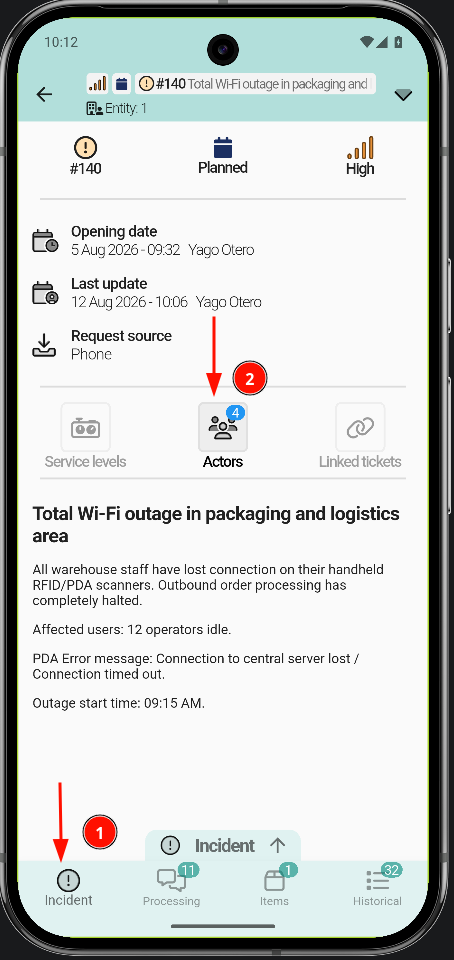
To change the actors of a ticket, open the Request / Incident tab, depending on the type of ticket. Tap Actors; a list opens with the different actor types.
- Open the ticket.
- Go to the Request / Incident tab.
- Tap Actors.
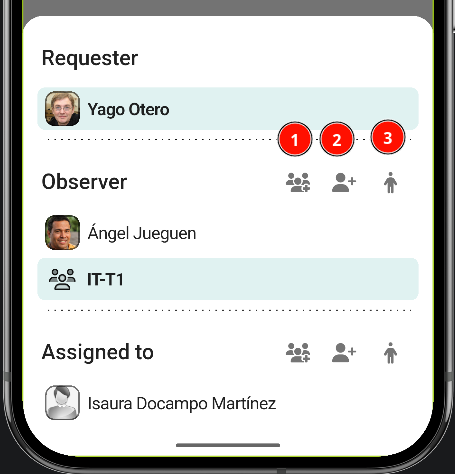
- Add groups: To add groups, tap the button with the three-person icon.
-
Add individual: This process is similar: tap the button and select the person from the list.
-
Self-assignment : To get involved directly as an observer or technician, tap the person icon; the assignment is applied automatically.
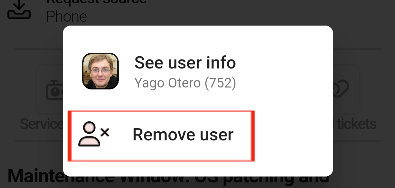
Remove people / groups
To remove people or groups, tap them and confirm the removal.