ActualTime
ActualTime is the plugin that times the work on a task. The timer counts the time from when the task is started until it is paused.
1. Start the timer
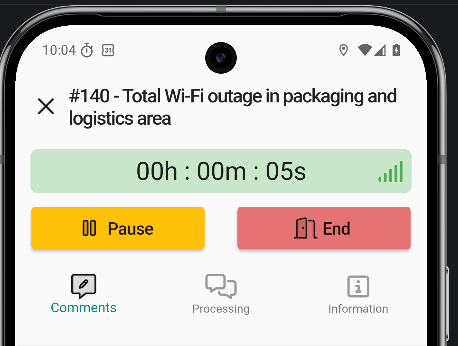
The first option of the ticket actions menu is the timer. The ActualTime timer starts with this option. Once active, it looks like this:
2. Notifications
Notification permissions must be enabled on the device. ActualTime relies on them to track time in the background and to alert when a task is running.
3. Running task in the ticket view
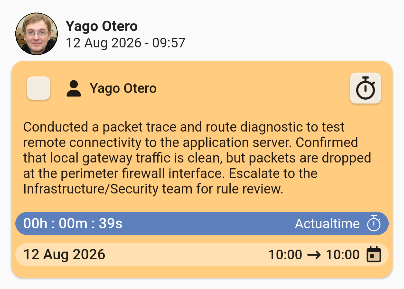
The ticket view shows which task is running and for how long.
- Tapping the running task from another screen moves the view to it automatically.
- With the counter running the task can be opened to pause it or mark it as done.
- Start and pause the task can be started and paused as many times as needed.
4. Finish a task
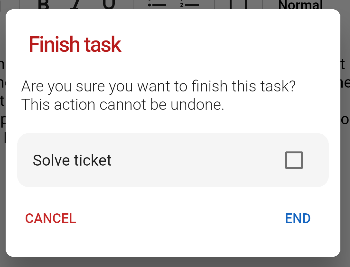
Finishing a task shows an alert asking for confirmation.
5. Edit the time
ActualTime has a wide range of customization options; the most important ones related to the app:
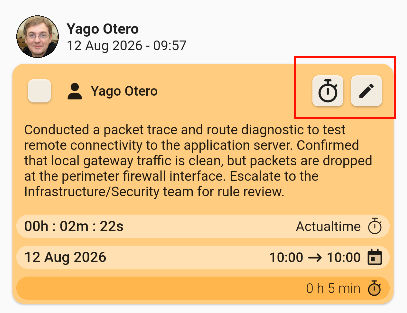
- Clock edits the ActualTime.
- Pencil edits the task fields.