# Searching the dictionaries
Search any of the four Rinoceronte dictionaries by typing a word. The app suggests entries as you type and keeps a list of your recent searches for each dictionary.
## Getting there
Searching is done from the **Explore** tab, the screen the app opens on. See [Home screen](/books/rd-getting-started/page/home-screen).
## Choosing a dictionary
Tap the dictionary picker under the search field and choose the dictionary you want to search in. The dictionary you pick here is used until you close the app; the next time, the app opens with the dictionary set in **Settings → Default dictionary**.
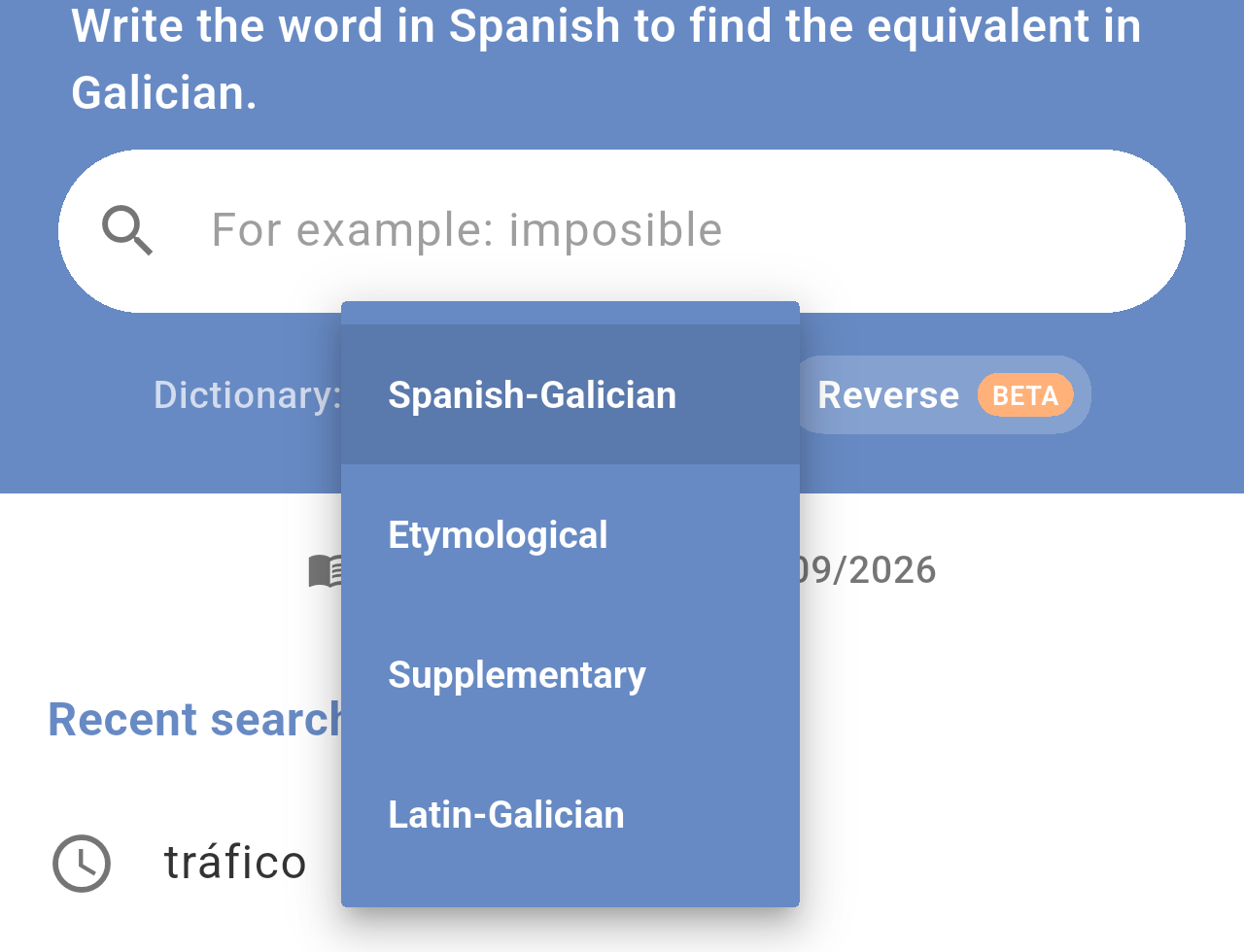
*The dictionary picker with the four available dictionaries.*
Each dictionary expects a different kind of word. The text above the search field reminds you what to type:
| Dictionary | What you type | What you get |
|---|---|---|
| **Spanish-Galician** | A Spanish word | Its Galician equivalents |
| **Etymological** | A Galician word | The origin of the word |
| **Supplementary** | A Galician word | Its meaning |
| **Latin-Galician** | A Latin word | Its Galician equivalents |
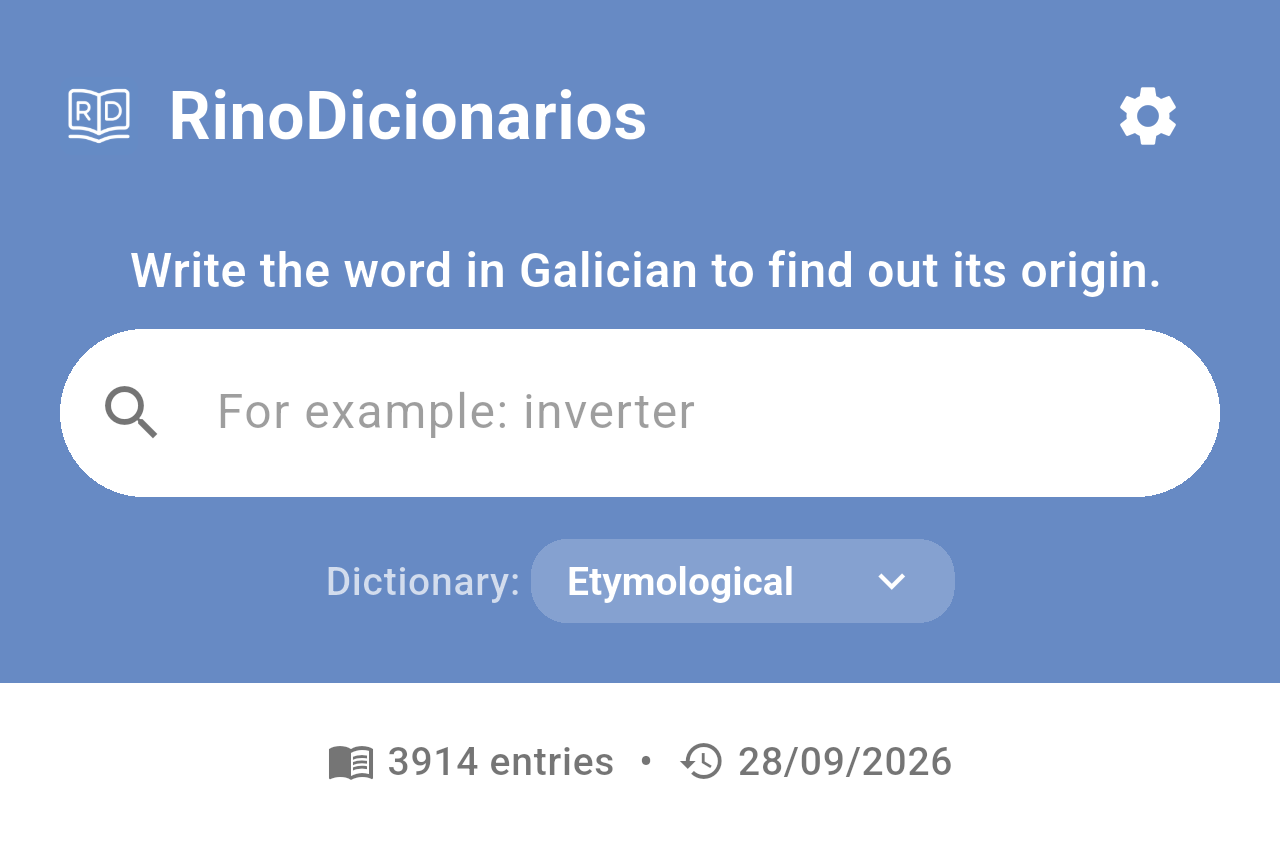
*The Etymological dictionary selected. The text above the field and the example word change with the dictionary, and the Reverse button is not shown.*
> **Note:** Changing the dictionary clears the search you had on screen.
## Searching for a word
To search, follow these steps:
- Tap the search field and start typing the word.
- After a moment, a list of suggestions from the dictionary appears under the field.
- Tap a suggestion to open it, or tap the search key on your keyboard to search exactly what you typed.
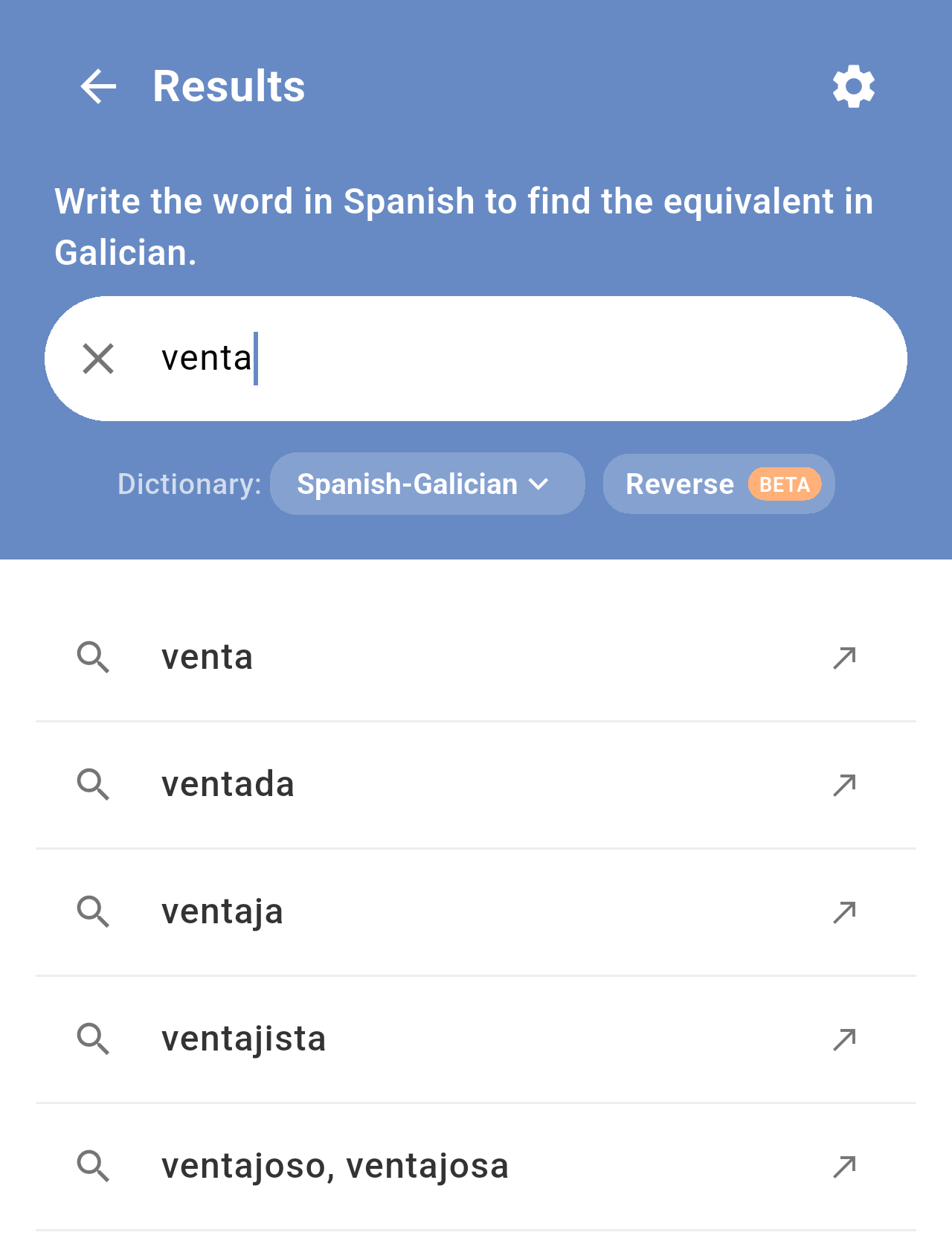
*Suggestions while typing "venta" in the Spanish-Galician dictionary.*
The result opens as a card with the definition. If there is no entry that matches your word exactly, the app shows the closest entry it finds.
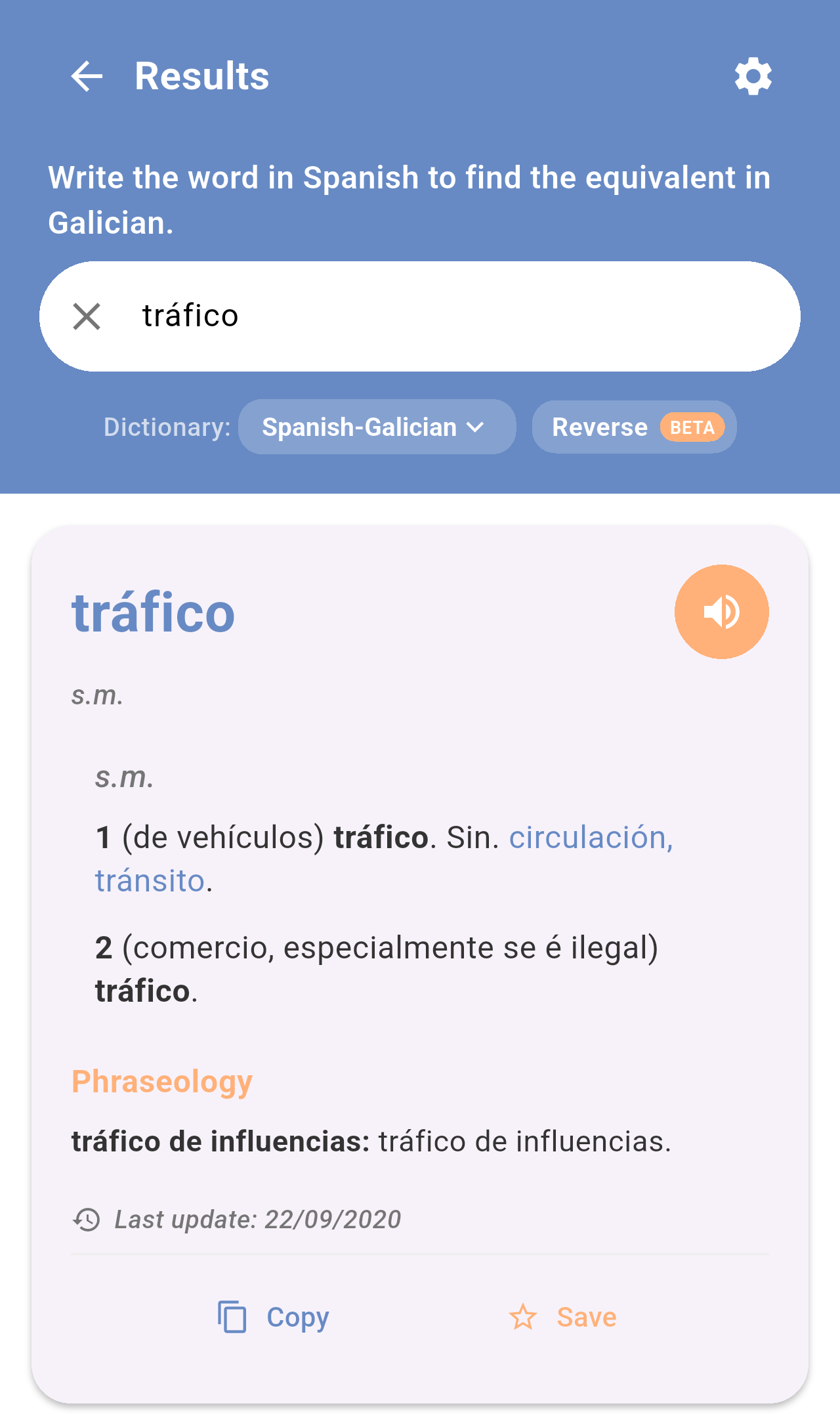
*The result for "tráfico". The title of the screen changes to **Results**.*
To learn how to read the card and what each button does, see [Reading a definition](/books/rd-core-features/page/reading-a-definition).
To start a new search, tap the **✕** in the search field or the arrow next to **Results** in the top-left corner.
## Recent searches
When the search field is empty, the screen shows your recent searches in the selected dictionary, the most recent first. Tap one to search it again.
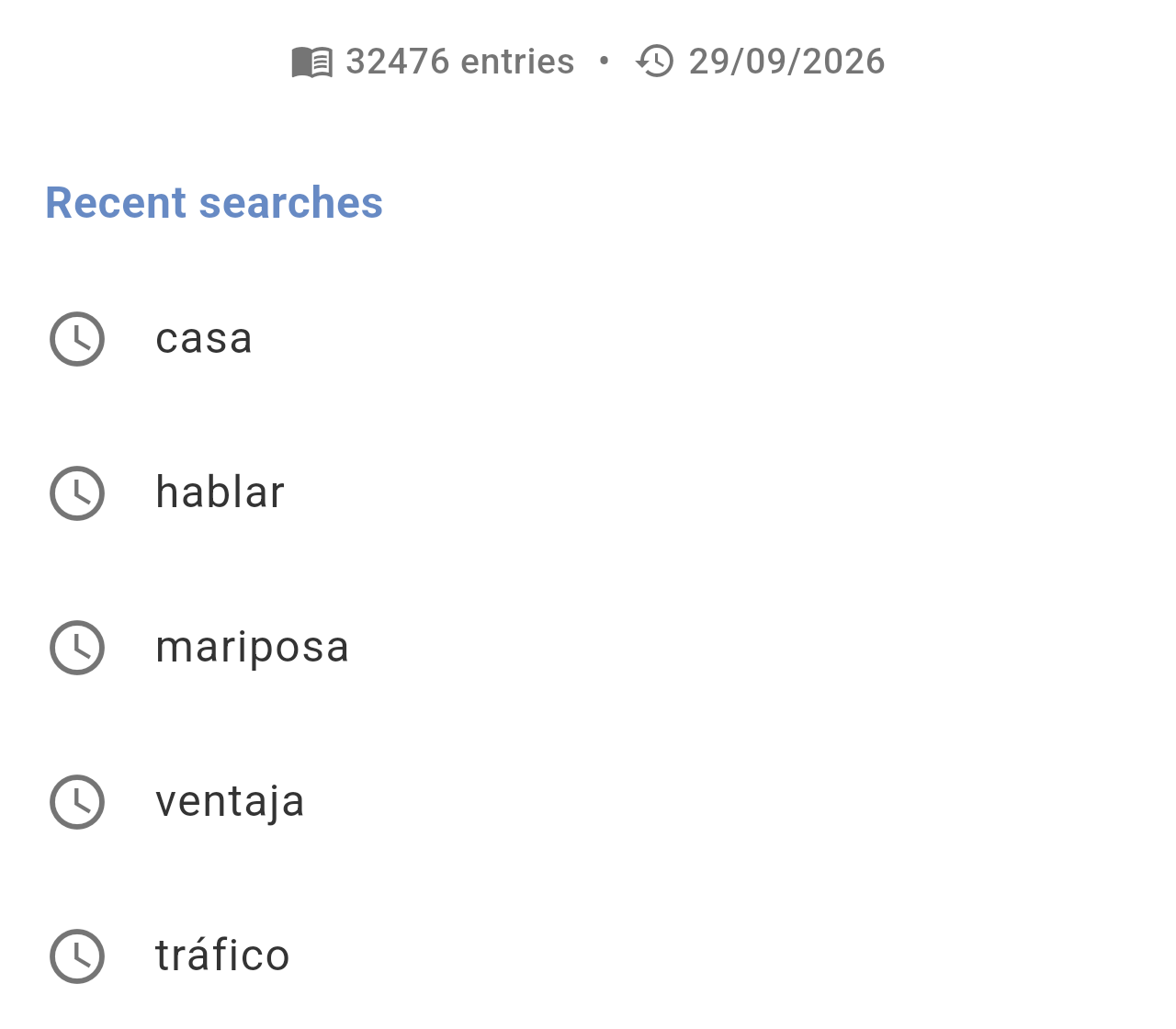
*Recent searches in the Spanish-Galician dictionary. Above the list you can see the number of entries in the dictionary and the date of its last update.*
- Each dictionary has its own list, with up to 10 words.
- Only searches that found a result are added.
- To delete the list, use **Settings → Clear history and cache**. Be aware that this also deletes your favorites. See [Settings](/books/rd-settings-customization/page/settings).
## When nothing is found
If the dictionary has no entry for the word, the app shows the message *What a pity, no results were found.* Check the spelling, try a related form of the word (for example the infinitive of a verb) or make sure you are in the right dictionary.
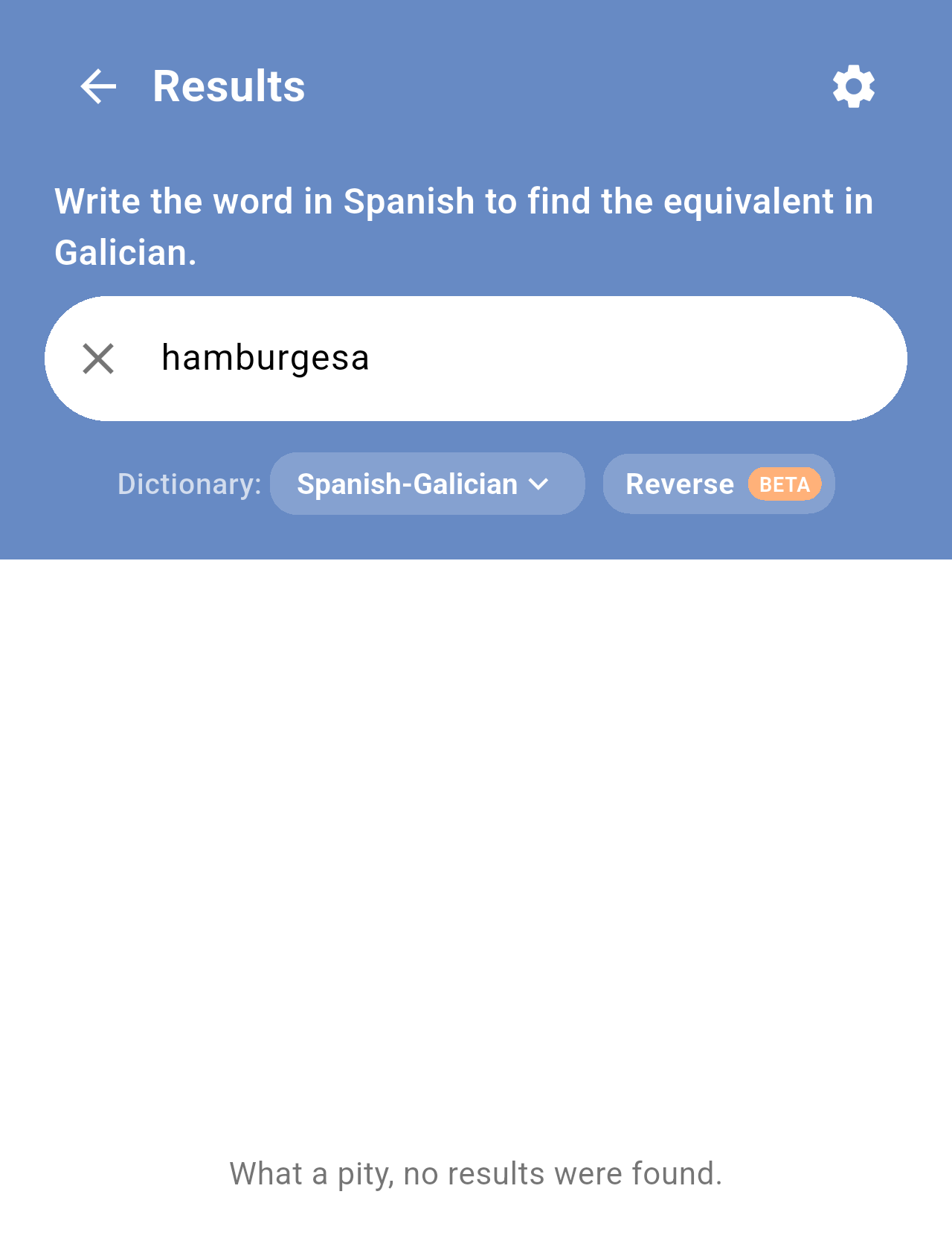
*A misspelled search ("hamburgesa" instead of "hamburguesa") in the Spanish-Galician dictionary.*
> **Note:** Searching needs an Internet connection. Without one, the app shows *Connection error to the dictionary*. See [FAQ / Troubleshooting](/books/rd-faq-troubleshooting/page/faq-troubleshooting).
## Reverse search
In the Spanish-Galician and Latin-Galician dictionaries you can also search from Galician, with the **Reverse** button next to the dictionary picker. See [Home screen](/books/rd-getting-started/page/home-screen).
## Related pages
- [Home screen](/books/rd-getting-started/page/home-screen)
- [Reading a definition](/books/rd-core-features/page/reading-a-definition)
- [Favorites](/books/rd-core-features/page/favorites)